JavaScript Conditional Statements
Control flow is how your code makes decisions. Once you understand it, you can build smarter logic instead of running the same path every time.
Conditional statements allow JavaScript to make decisions and execute different code depending on whether a condition is true or false. In real life: if it is raining, take an umbrella; otherwise, leave without one.
const isRaining = true;
if (isRaining) {
  console.log("Take an umbrella");
}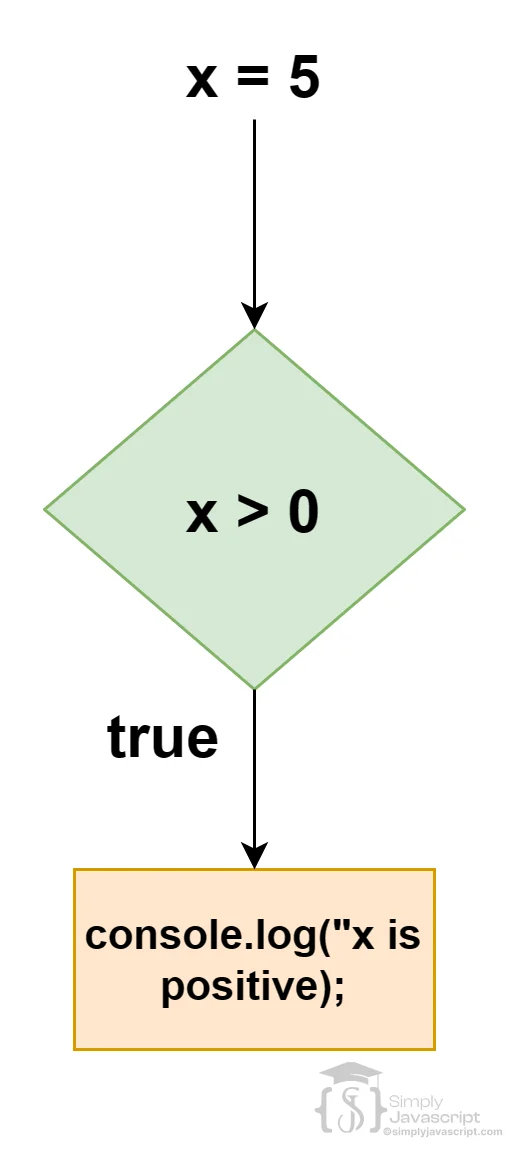
Control flow is the order in which JavaScript executes statements. A conditional lets that normal flow branch: JavaScript checks a condition, then runs one block when it is truthy or another block when it is falsy.
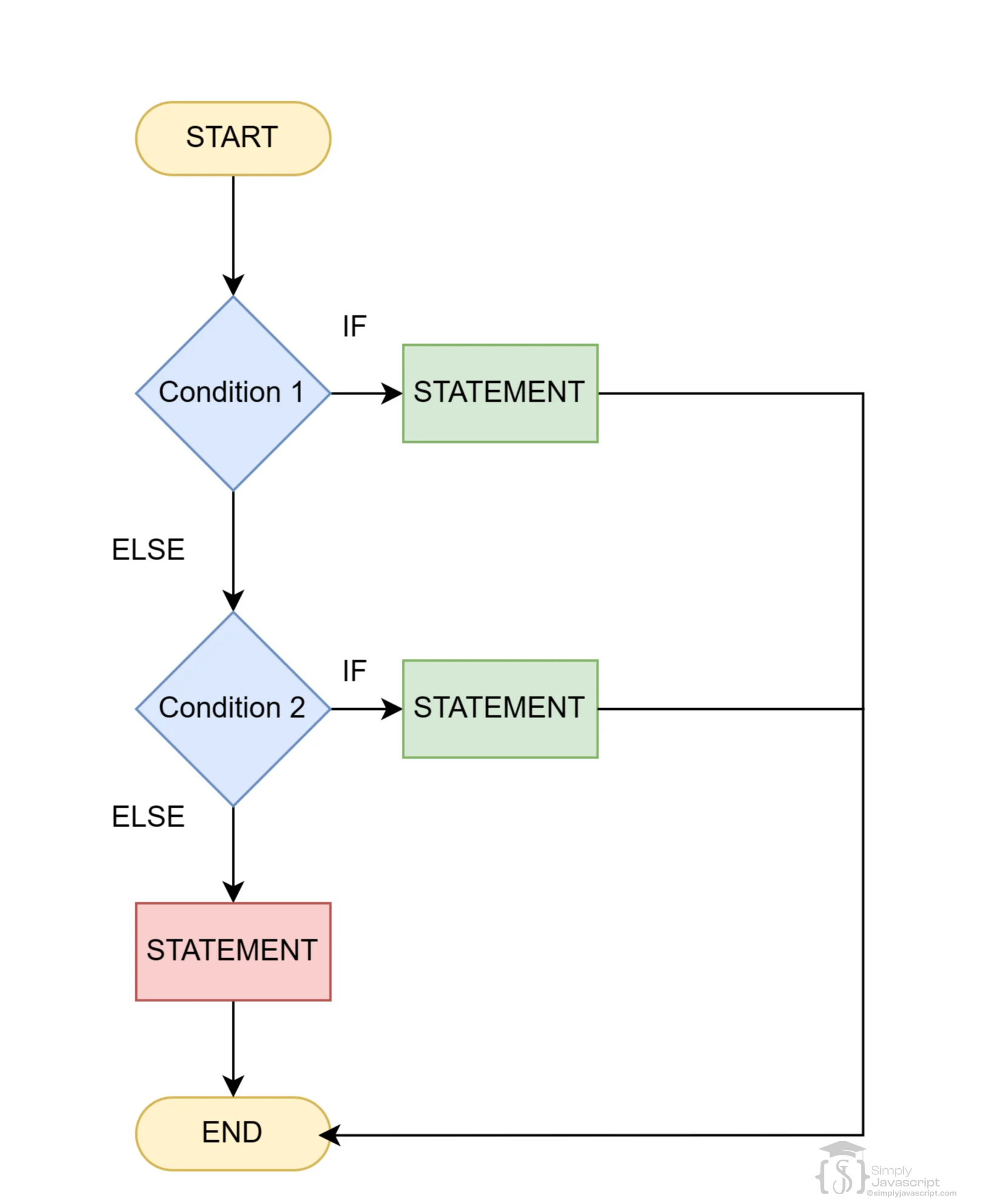
An if statement runs a block only when its condition is truthy.
const x = 5;
if (x > 0) {
  console.log("x is positive");
}- JavaScript evaluates
x > 0. - The result is
true. - The block runs.
- If the result is false, JavaScript skips the block.
else runs when the preceding if condition is false.
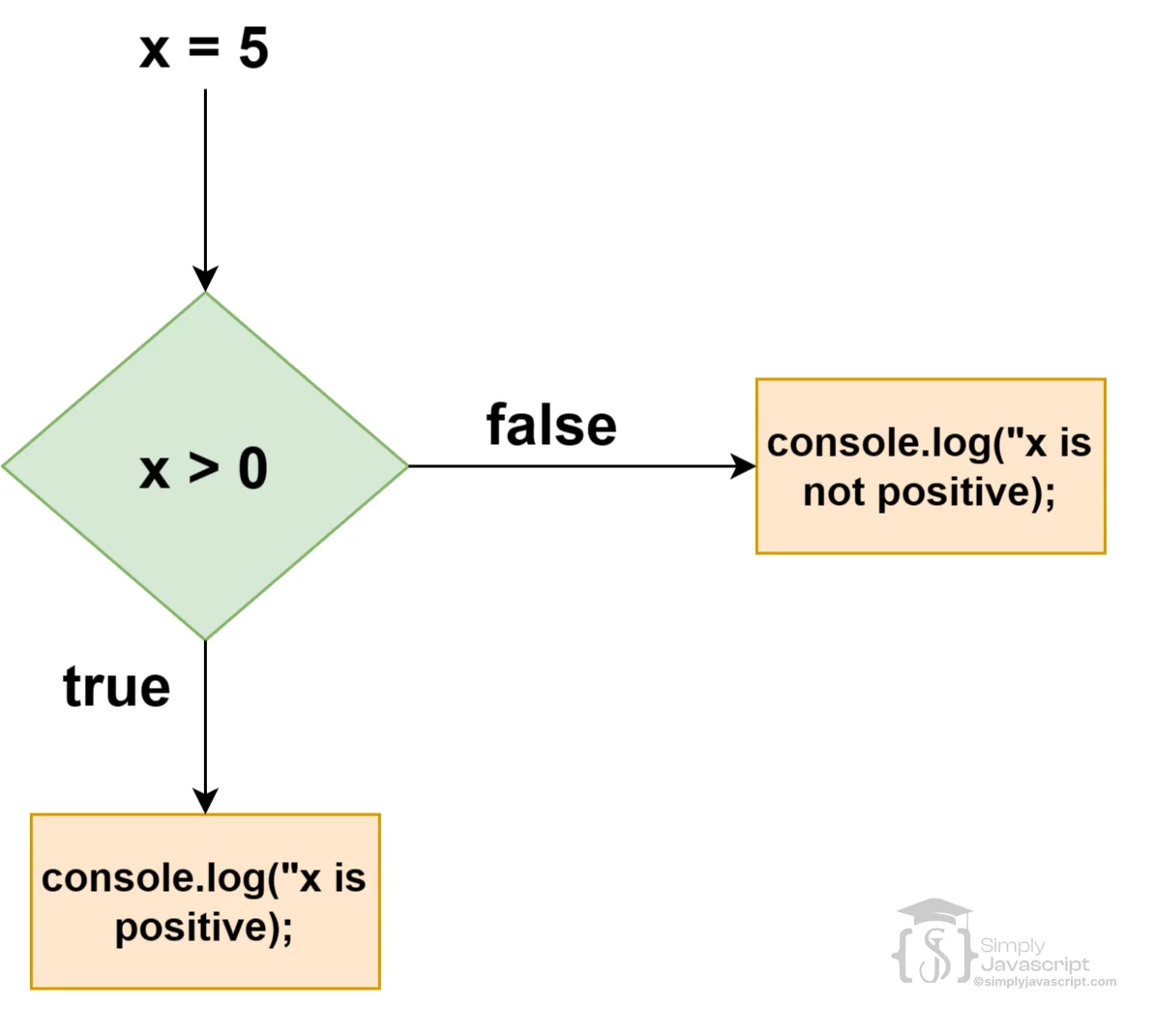
const x = 5;
if (x > 0) {
  console.log("x is positive");
} else {
  console.log("x is not positive");
}
This gives the program two paths: the if block for true and the else block for false.
else if adds another condition to the decision.
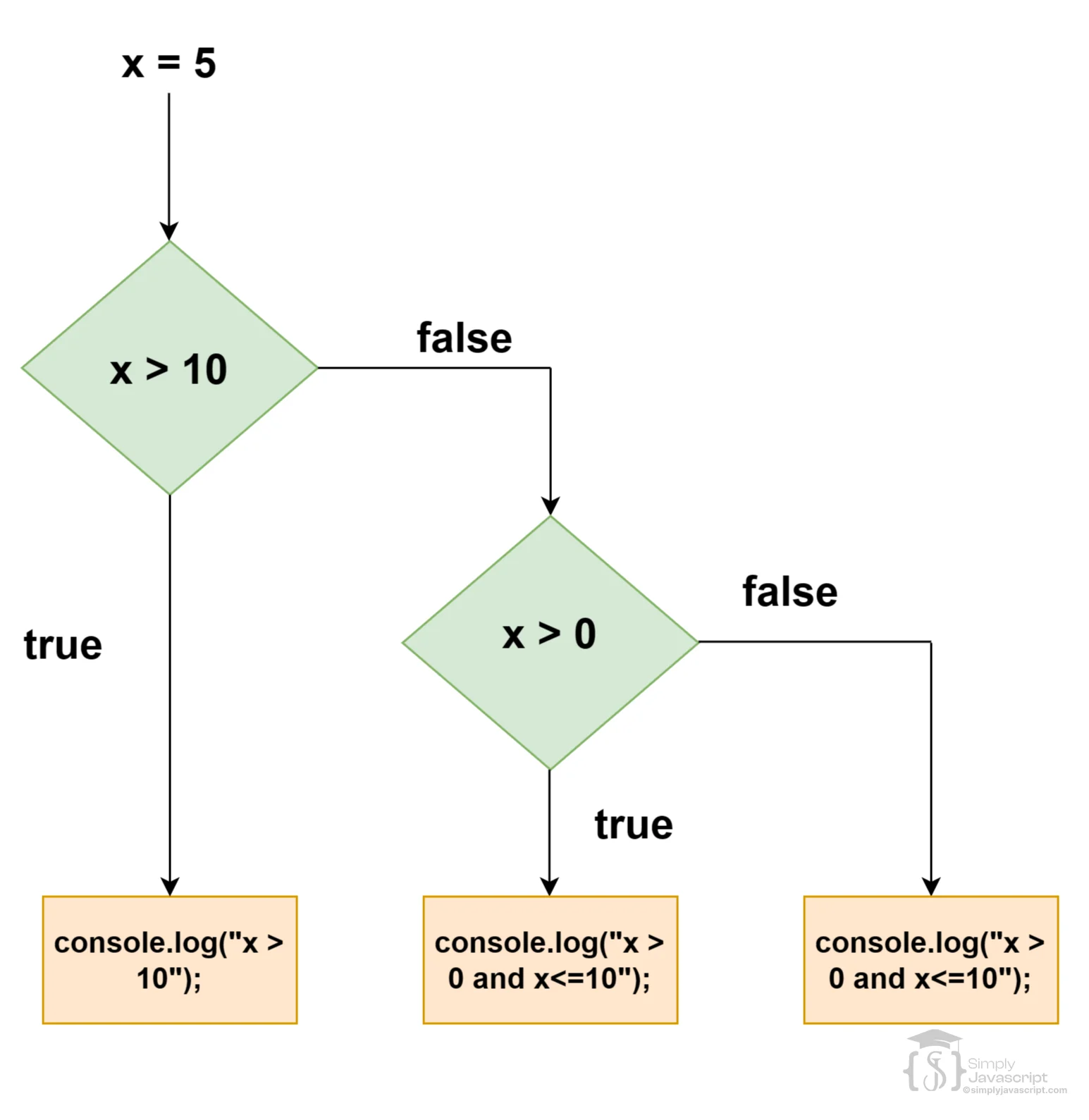
const x = 5;
if (x > 10) {
  console.log("x is greater than 10");
} else if (x > 0) {
  console.log("x is greater than 0 but less than or equal to 10");
} else {
  console.log("x is less than or equal to 0");
}const score = 75;
if (score >= 90) {
console.log("A");
} else if (score >= 60) {
console.log("Passed");
} else {
console.log("Try again");
}JavaScript checks conditions from top to bottom and executes the first matching branch. Here, 90 is false, 60 is true, so it prints "Passed" and stops checking.
A chain is evaluated in order: check condition 1; if true, run its block and stop; if false, check condition 2; continue until a condition matches or the final else runs.
const score = 75;
if (score >= 90) {
  console.log("A");
} else if (score >= 60) {
  console.log("Passed");
} else {
  console.log("Try again");
}else and else if cannot exist by themselves. They must belong to an if statement, and else executes only when all preceding conditions in the chain have failed.
An if condition does not have to be literally true or false. JavaScript converts the value to a boolean when deciding whether the branch runs.
Falsy values: false, 0, -0, 0n, NaN, "", null, and undefined. Most other values are truthy.
if ("hello") console.log("runs");
if ([]) console.log("also runs");
if ({}) console.log("also runs");

if ("") console.log("does not run");
if (0) console.log("does not run");
if (null) console.log("does not run");An empty array is truthy because the array exists. To check whether it contains elements, check its length instead.
const items = [];
if (items) {
  console.log("The array exists");
}
if (items.length > 0) {
  console.log("The array contains items");
}
if (items.length) {
  console.log("The array contains items");
}
Because an empty array's length is 0, items.length is falsy. Use exact checks such as status === "ready" when you need a particular value.
Logical operators combine conditions. With &&, both conditions must be truthy. With ||, at least one must be truthy.
const x = 5;
if (x > 0 && x < 10) {
  console.log("x is between 0 and 10");
}

const otherX = 30;
if (otherX < 0 || otherX > 10) {
  console.log("x is not between 0 and 10");
}
&& and || short-circuit: false && someFunction() does not need to call the function, and true || someFunction() does not need to call it. They can return operand values rather than booleans; an if then uses the resulting value's truthiness. See the Operators tutorial for more detail.
A nested conditional is an if statement inside another if statement.
const x = 5;
if (x > 0) {
  if (x < 10) {
    console.log("x is between 0 and 10");
  } else {
    console.log("x is greater than or equal to 10");
  }
} else {
  console.log("x is less than or equal to 0");
}
JavaScript checks the outer condition first, then the inner condition only when needed. Nesting can help organize decisions, but too much nesting makes code difficult to read, so keep it small where possible.
A ternary is an expression that produces a value, so it is useful for simple conditional value selection.
const age = 18;
const message = age >= 18
  ? "Adult"
  : "Minor";
console.log(message);
The syntax is condition ? valueIfTrue : valueIfFalse. It works well when choosing what to assign or display.
const isLoggedIn = true;
const buttonText = isLoggedIn ? "Log out" : "Log in";- Use a ternary for one simple condition and two easy-to-read values.
- Use
if/elsefor multiple branches, multiple steps, side effects, or logic that needs explanation. - Avoid nested or complicated ternaries; choose the clearest form.
const score = 75;
let readableLabel;
if (score >= 90) {
  readableLabel = "A";
} else if (score >= 60) {
  readableLabel = "Pass";
} else {
  readableLabel = "Try again";
}- Using
=instead of===:=assigns and===compares. - Forgetting braces: braces are recommended for beginner code because block boundaries are obvious, even though one statement can technically omit them.
- Assuming empty arrays are falsy:
const items = [];still passesif (items). - Checking an array incorrectly: use
items.length > 0when you mean “has items.” - Overusing nesting: deeply nested logic is harder to read.
- Using complicated ternaries: use
if/else if/elsefor several branches.
const age = 18;
if (age === 18) {
  console.log("Age is 18");
}ifruns code when a condition is truthy.if/elsechooses between two paths.else ifchecks multiple conditions in order.&&needs both sides to be truthy.||needs at least one side to be truthy.- Nested
ifputs one decision inside another. - Ternary chooses between two values.
if: runs when a condition is truthy.else: runs when no earlier condition matched.else if: checks multiple conditions in order.- Truthy/falsy: determines whether a value passes a condition.
&&and||: combine conditions.- Nested conditionals: put one decision inside another.
- Ternary: choose between two values when the logic is simple.
- What is control structure in programming?
- What is conditional statement in programming?
- Explain the purpose and syntax of the if statement in JavaScript.
- Describe the role of the else statement in JavaScript.
- Explain the else if statement in JavaScript.
- Explain grouping conditions with logical operators.
- Describe nested if-else statements.
- Compare if, else if, else, and nested if-else structures.


Conditional Statements In Javascript