JavaScript Operators
Operators are how JavaScript performs calculations, comparisons, and decisions. If you understand them early, almost every topic ahead becomes easier.
Operators are the symbols JavaScript uses to perform actions on values. They help you calculate totals, compare values, combine conditions, and choose results.
const total = 10 + 5;
console.log(total); // 15
10 and 5 are operands, + is the operator, and 10 + 5 is an expression. We will use these ideas throughout this lesson.
An operator is a symbol or keyword that performs an operation. JavaScript has several categories:
| Category | Examples | Purpose |
|---|---|---|
| Arithmetic | + - * / % ** | Perform calculations |
| Assignment | = += -= *= | Assign or update values |
| Comparison | === !== > < | Compare values |
| Logical | && || ! | Combine conditions |
| Ternary | ? : | Choose between two values |
| Type | typeof | Inspect a value's type |
| Nullish | ?? ??= | Handle null/undefined |
| Increment/decrement | ++ -- | Increase or decrease by 1 |
| Advanced | << in instanceof | Specialized use cases |
Arithmetic operators perform calculations. The existing reference image below shows the main arithmetic symbols.
| Operator | Name | Example | Result |
|---|---|---|---|
+ | Addition | 5 + 3 | 8 |
- | Subtraction | 10 - 4 | 6 |
* | Multiplication | 3 * 4 | 12 |
/ | Division | 15 / 3 | 5 |
% | Remainder | 10 % 3 | 1 |
** | Exponentiation | 2 ** 3 | 8 |
++ | Increment | let count = 5; count++ | 5, then 6 |
-- | Decrement | let count = 5; count-- | 5, then 4 |
const additionResult = 5 + 3;
console.log(additionResult); // 8
console.log("Hello " + "JS"); // "Hello JS"

let count = 5;
console.log(count++); // 5
console.log(count);   // 6
console.log(++count); // 7
Postfix uses the current value and then increments. Prefix increments first and then uses the new value. Use ++ and -- when you need to recognize or update a counter.
Assignment operators store or update values. The basic = assigns the value on the right to the variable on the left.
| Operator | Equivalent |
|---|---|
= | x = 5 |
+= | x = x + 5 |
-= | x = x - 5 |
*= | x = x * 5 |
/= | x = x / 5 |
%= | x = x % 5 |
**= | x = x ** 5 |
??= | Assign only if null/undefined |
let score = 100;
score += 5;
console.log(score); // 105

let username;
username ??= "guest";
Comparison operators return a boolean value: true or false.
| Operator | Meaning | Example |
|---|---|---|
=== | Equal value and type | 5 === 5 |
!== | Not equal value/type | 5 !== "5" |
== | Equal after coercion | 5 == "5" |
!= | Not equal after coercion | 5 != "5" |
> < >= <= | Compare size | 10 > 5 |
console.log(5 == "5");  // true
console.log(5 === "5"); // false
For most JavaScript code, === and !== are the safer default because they avoid implicit type coercion.
Logical operators combine conditions. && means AND, || means OR, and ! means NOT.
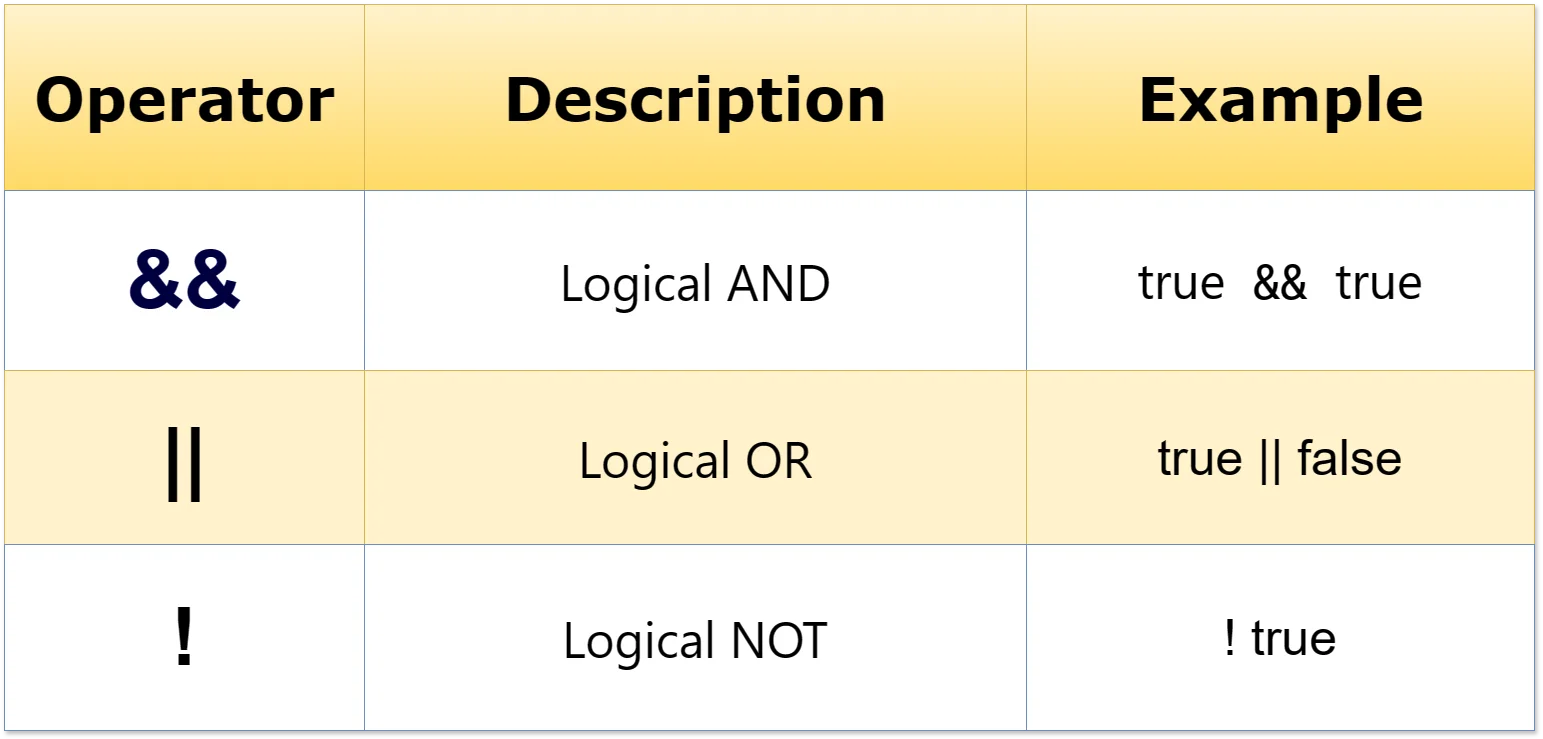
const age = 25;
const hasId = true;
console.log(age >= 18 && hasId); // true

console.log("hello" && "world"); // "world"
console.log("" || "guest");      // "guest"
console.log(!false);              // true
&& and || do not necessarily return booleans. They can return one of their operands, which is why truthy and falsy values matter.
Use the ternary operator for a simple condition that needs one of two values.
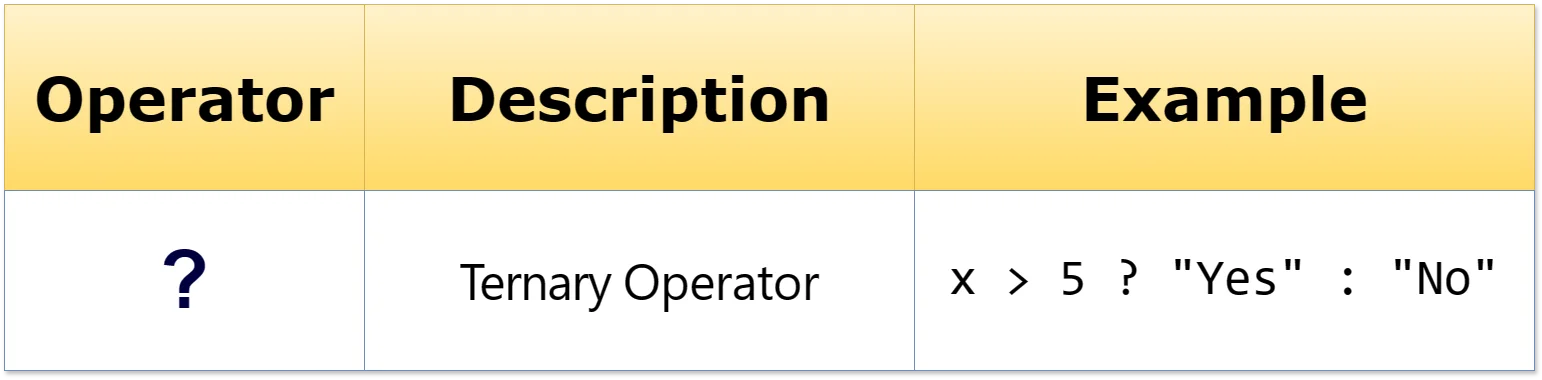
const age = 18;
const message = age >= 18
  ? "You can vote"
  : "You cannot vote";
console.log(message);
The pattern is condition ? valueIfTrue : valueIfFalse. Use if...else when the logic becomes complicated or contains many statements.
typeof returns a string indicating the operand's type according to JavaScript's typeof semantics.
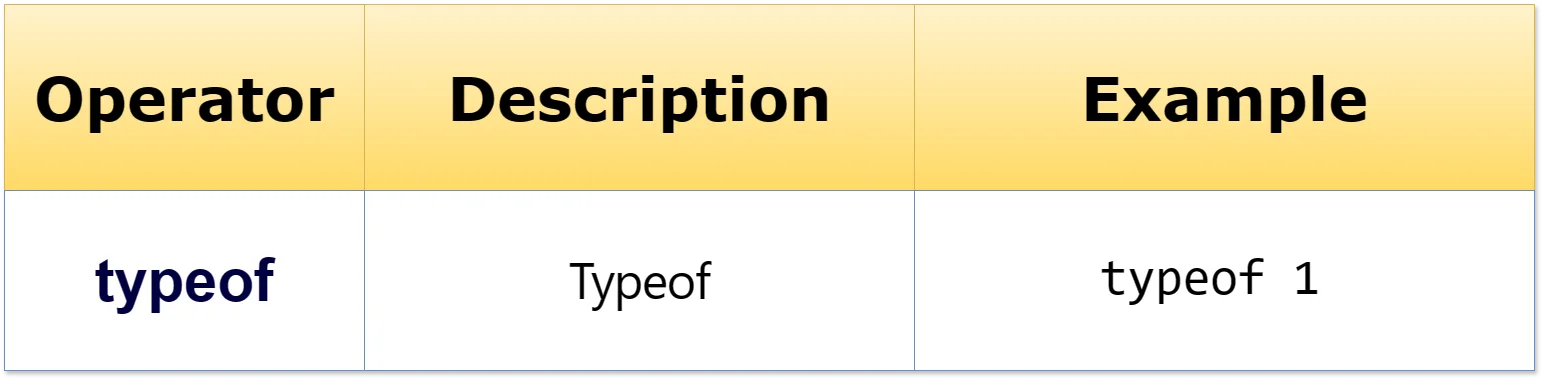
console.log(typeof 1);            // "number"
console.log(typeof "hello");      // "string"
console.log(typeof true);          // "boolean"
console.log(typeof {});            // "object"
console.log(typeof []);            // "object"
console.log(typeof function() {}); // "function"
console.log(typeof null);          // "object"
console.log(typeof undefined);     // "undefined"
console.log(typeof NaN);            // "number"
typeof null returning "object" is a historical JavaScript quirk. Arrays also report "object".
Both || and ?? can provide fallback values, but they consider different things to be missing. || falls back for any falsy value. ?? falls back only for null or undefined.
| Value | value || 10 | value ?? 10 |
|---|---|---|
0 | 10 | 0 |
"" | 10 | "" |
false | 10 | false |
null | 10 | 10 |
undefined | 10 | 10 |
const count = 0;
console.log(count || 10); // 10
console.log(count ?? 10); // 0

const savedName = "";
const label = (savedName || "Guest") ?? "Unknown";?? with || or && without parentheses.Precedence determines which operator JavaScript evaluates first. In 1 + 2 * 3, multiplication happens first, so the result is 7.
| Higher to lower |
|---|
** |
* / % |
+ - |
< <= > >= |
== != === !== |
&& |
|| |
? : |
= += -= ... |
const result1 = 2 * (3 + 4); // 14
const result2 = 2 + 3 ** 2; // 11
const result2b = 2 ** 3 ** 2; // 512
const result3 = 20 / 5 * 2; // 8
You do not need to memorize the complete table. When an expression could be confusing, use parentheses. See the MDN operator-precedence reference for the full table.
JavaScript also has specialized operators such as bitwise operators, in, instanceof, and the comma operator. They are useful in specific situations and do not need to be mastered at the beginning. Bitwise operators work with 32-bit integer representations, so keep them as a later reference topic.
- Confusing
=and===:let age = 18;assigns;age === 18compares. - Assuming
==and===behave the same:5 == "5"is true, while5 === "5"is false. - Assuming logical operators always return booleans:
"Hello" && "World"returns"World". - Confusing
||with??:0 || 10is 10, while0 ?? 10is 0. - Relying on precedence: prefer
const total = price * (quantity + tax);when parentheses make the intent clearer.
- Calculate the total price of two products.
- Check whether a person is eligible based on age.
- Use
===to compare two values. - Use
&&to check two conditions. - Use
||to provide a fallback. - Use
??with0andnull. - Use a ternary operator to display one of two messages.
- Predict the result of
console.log(2 + 3 * 4);.
- Arithmetic performs calculations.
- Assignment stores or updates values.
- Comparison produces
trueorfalse. - Logical operators combine conditions and work with truthy/falsy values.
- Ternary chooses between two simple conditional values.
typeofinspects value types.??falls back fornull/undefined;||falls back for falsy values.- Precedence controls evaluation order; parentheses make intent clearer.
else if, and else.- What are operators in programming?
- What is operand?
- Explain arithmetic operators.
- Explain assignment operators.
- Explain comparison operators.
- Explain the difference between =, == and === operators.
- Explain logical operators.
- Explain the ternary operator.
- Explain typeof operator.
- Describe operator precedence in JavaScript.

Operators In Javascript