JavaScript Functions
Functions are how you stop copy-pasting code. Every button click handler, every API call, every calculation in any real app is a function. Master this and everything else in JavaScript clicks into place.
A function is a reusable block of code for a specific task. You define the steps once, then call the function whenever you need those steps. A function does not run just because it was defined.
Functions keep your code organized and easier to maintain. They can receive inputs through parameters, run logic, and return a result to the code that called them.
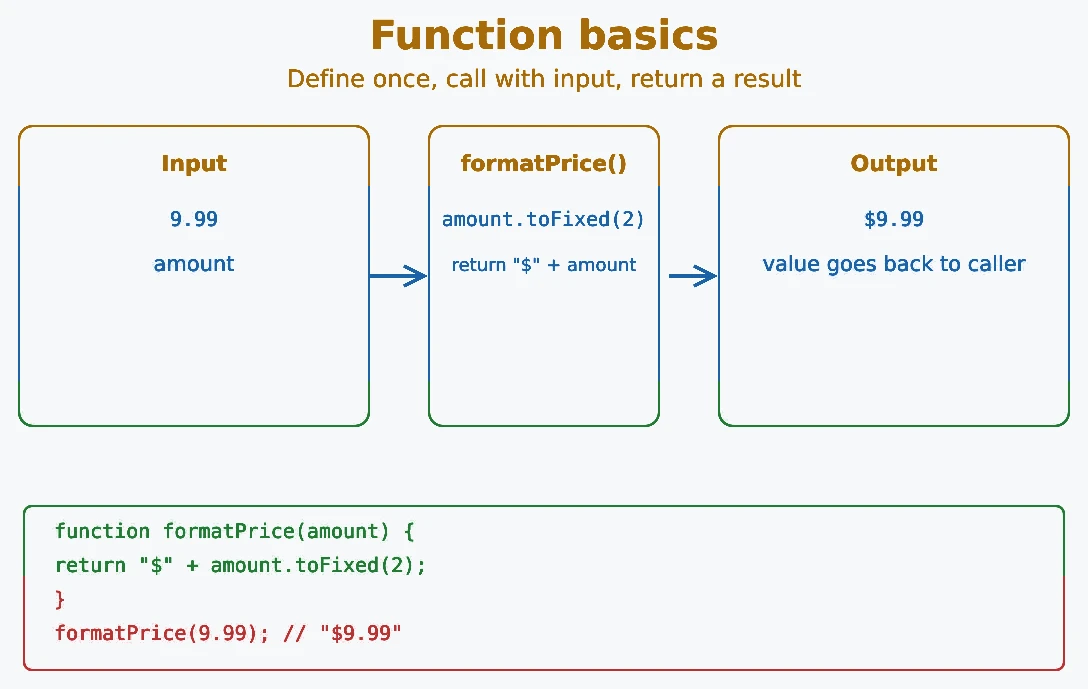
function formatPrice(amount) {
  return "$" + amount.toFixed(2);
}

console.log(formatPrice(9.99)); // $9.99
console.log(formatPrice(24.5)); // $24.50
return gives a value back to the caller, while console.log() only displays a value.
function add(a, b) {
  return a + b;
}

const total = add(2, 3); // total gets 5
console.log(total);      // displays 5
Key points about functions:
- Defined once, called as many times as needed.
- Can accept zero or more parameters.
- Can return a value using the
returnkeyword. - If no value is returned, the function returns
undefined.
JavaScript supports several ways to define functions. Each has slightly different behavior and syntax:
- Function Declaration: a named function written as its own statement.
- Function Expression: a function used as a value, often stored in a variable.
- Arrow Function: a shorter function syntax that does not have its own
this. - Anonymous Function: a function without a name, often used inline or inside another expression.
- IIFE (Immediately Invoked Function Expression): a function expression that runs immediately after it is created.
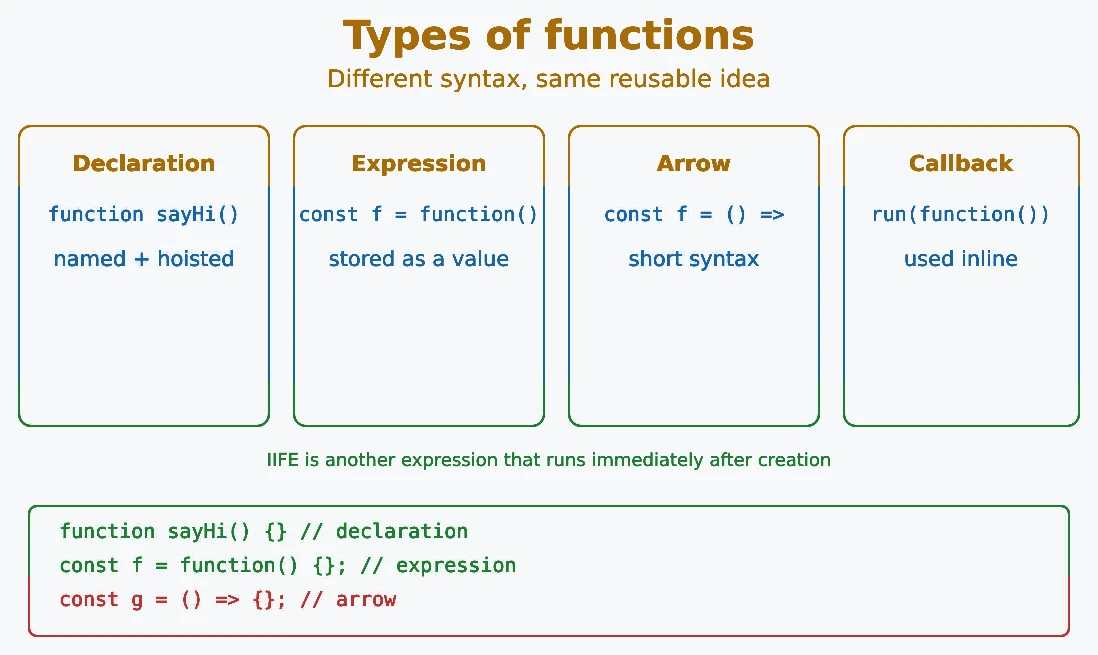
// Function Declaration
function sayHi() { console.log("Hi!"); }

// Function Expression
const sayHello = function() { console.log("Hello!"); };

// Arrow Function
const sayHey = () => console.log("Hey!");

// Anonymous Function
setTimeout(function() {
  console.log("Runs later");
}, 1000);

// IIFE
(function() { console.log("I run immediately!"); })();
A function declaration is the most common way to create a
function in JavaScript. It is written using the
function keyword followed by a function name. Once created, you
can call the function whenever you need to reuse the same block of code.
One of the biggest advantages of a function declaration is hoisting. Before running the code, JavaScript makes the declaration available throughout its scope. Because of this, you can call the function before the declaration appears in the file, and it will still work correctly. This does not mean other statements are moved or executed early.
Function declarations are easy to read, reusable, and widely used in JavaScript projects. They are a great choice whenever you want to organize your code into clear, reusable functions.
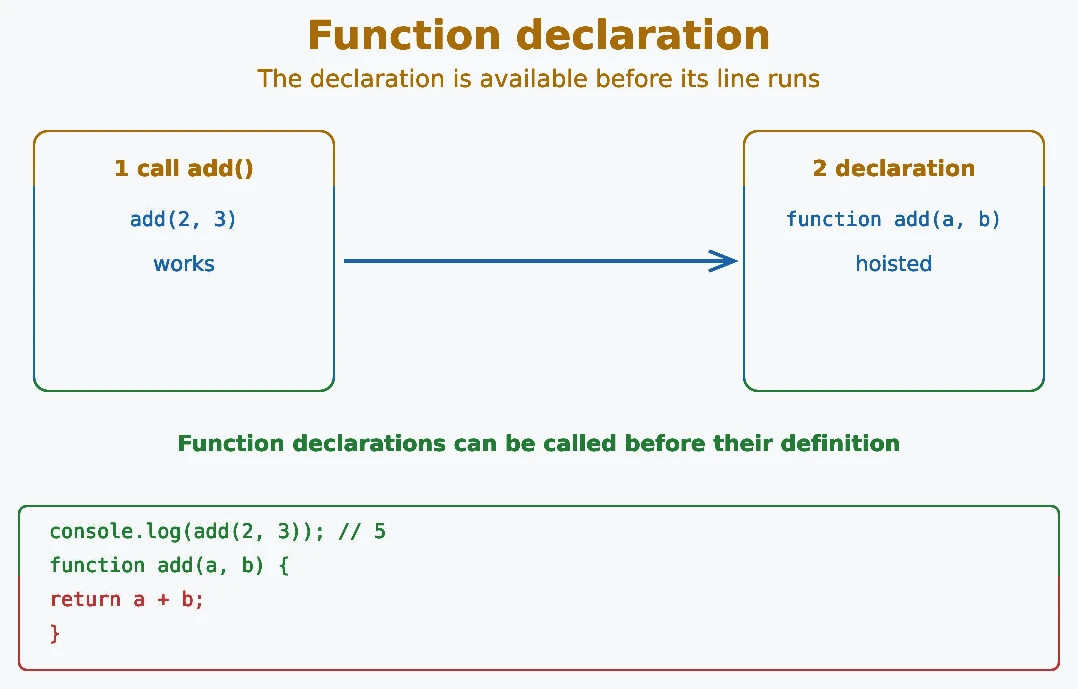
// Called before it is defined - works due to hoisting
console.log(add(2, 3)); // 5

function add(a, b) {
  return a + b;
}
Function declarations are available throughout the scope where they are declared. This is why calling one before its declaration works, although placing declarations before their calls can still make code easier to read.
Tip: If you call a function before it is defined, function declarations work because of hoisting, but function expressions do not.
A function expression is a function used as a value. It is often assigned to a variable, passed as an argument, or returned from another function. The variable stores the function, so you call it through that variable after the assignment has run.
Unlike function declarations, a function expression stored in a
let or const variable is not ready before that
variable is initialized. Calling multiply() before
const multiply = function() {} runs causes a
ReferenceError.
Function expressions are useful when you want to store functions in variables, pass them as arguments, or use them as callbacks. They are widely used in modern JavaScript and help make your code more flexible and organized.
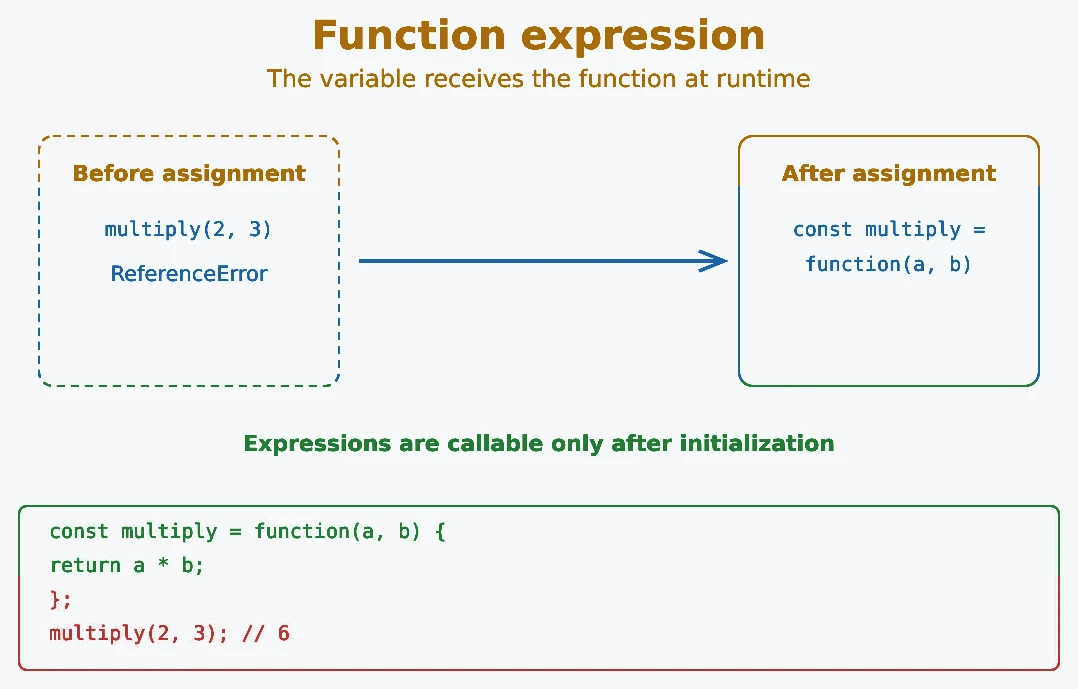
// Cannot call before this line
// console.log(multiply(2, 3)); // ReferenceError

const multiply = function(a, b) {
  return a * b;
};

console.log(multiply(2, 3)); // 6
Function expressions are useful when you want to pass a function as an argument, return it from another function, or assign a function conditionally. The expression is evaluated when execution reaches it, so the function is available after that assignment runs.
Arrow functions are a shorter way to write functions. They
were introduced in ES6 (ECMAScript 2015) and use the
=> syntax. They are especially useful for short callbacks and
calculations.
Arrow functions do not use the function keyword. They are commonly used for
callbacks, array methods like map(), filter(), and
forEach(), as well as event handlers where a compact syntax is
preferred.
Arrow functions can be assigned to a variable or written inline. They also
handle this differently from regular functions: an arrow
function uses this from the surrounding code instead of creating
its own value. Calling an arrow function with call() or
apply() does not change that captured this value.
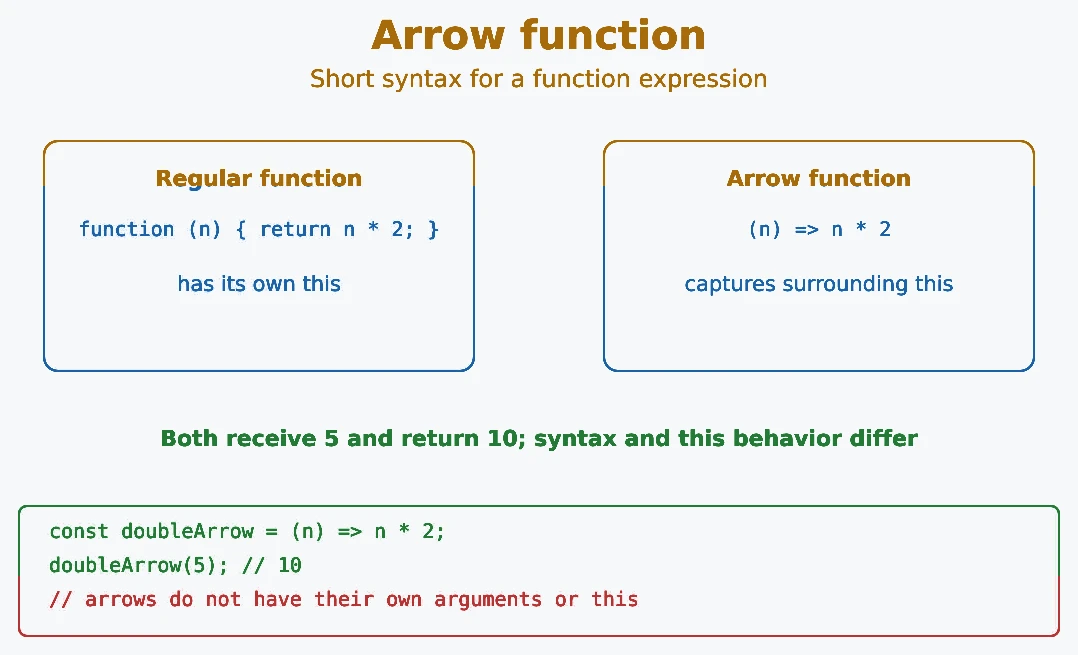
// Regular function
const double = function(n) { return n * 2; };

// Arrow function - same thing, shorter syntax
const doubleArrow = (n) => n * 2;

console.log(double(5));      // 10
console.log(doubleArrow(5)); // 10
Key differences of arrow functions:
- Do not have their own
this: they inheritthisfrom the surrounding scope. - Cannot be used as constructors (no
newkeyword). - Do not have an
argumentsobject. - Do not define their own
super. - Support an implicit return when the body has no curly braces.
An anonymous function is a function expression written without an explicit name. You create and use it where it is needed instead of declaring a separately named function. Anonymous functions are common for short callbacks, especially when the function is used once.
They are often used as callbacks, event handlers, or assigned
to variables. For example, methods like setTimeout(),
setInterval(), forEach(), and
map() frequently use anonymous functions because they make the
code shorter and easier to understand.
A function expression or arrow function can be anonymous, even when it is stored in a variable. JavaScript can infer a name for debugging in many such assignments, but the function syntax itself does not include a name. Named function expressions are also possible when a function needs a stable name inside its own body.
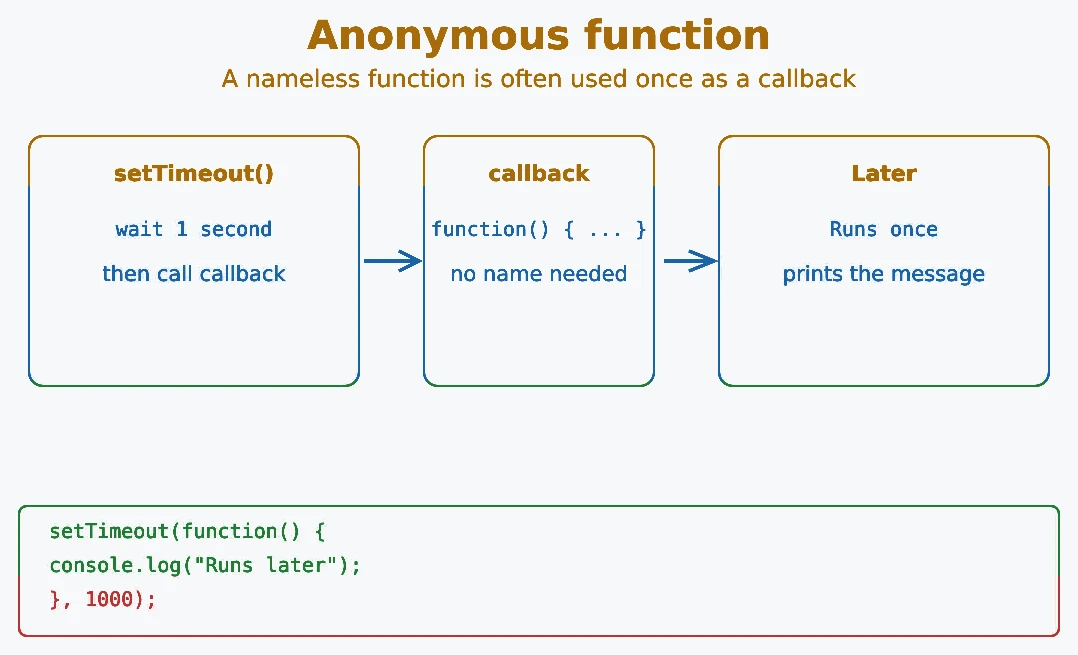
// Anonymous function as a callback
setTimeout(function() {
  console.log("Runs after 1 second");
}, 1000);

// Anonymous arrow function as a callback
[1, 2, 3].forEach(n => console.log(n));
Anonymous functions are common in event handlers, array methods like map, filter, and reduce, and anywhere a function is used only once.
The key differences between a function declaration and a function expression are:
- Hoisting: Function declarations are available before their declaration; a function expression is available only after its variable is initialized.
- Name: Declarations always have a name; expressions can be anonymous.
- Usage: Declarations are statements; expressions are values you can assign or pass around.
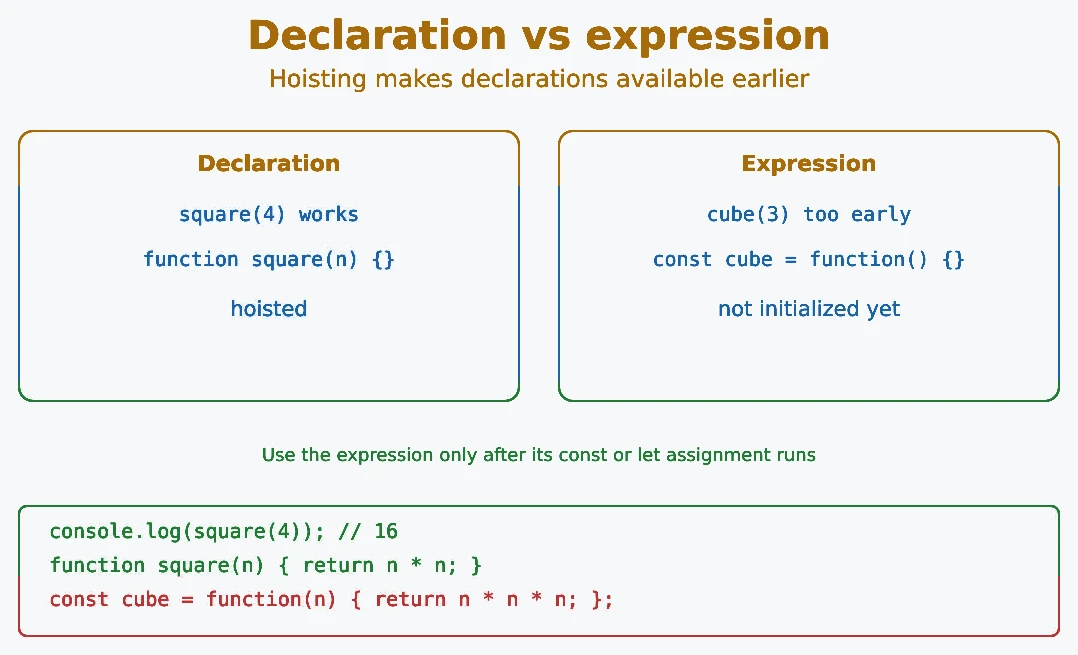
// Declaration - hoisted, works before definition
console.log(square(4)); // 16
function square(n) { return n * n; }

// Expression - cannot be called before initialization
// console.log(cube(3)); // ReferenceError
const cube = function(n) { return n * n * n; };
console.log(cube(3)); // 27Both function expressions and arrow functions can be stored in variables and called in the same way. They are commonly used when you want to pass a function as a callback, assign it to a variable, or keep your code more flexible.
Although they look similar, they are not exactly the same. Arrow functions
have a shorter syntax and use this from the surrounding scope.
Regular functions get this from how they are called, so the
same regular function can have different this values at different
call sites.
Knowing the difference between them helps you choose the right type of
function for different situations. For callbacks that do not need their own
this, arrow functions are often convenient. Use a regular
function expression when the function needs a call-site-controlled
this, the arguments object, or constructor behavior.
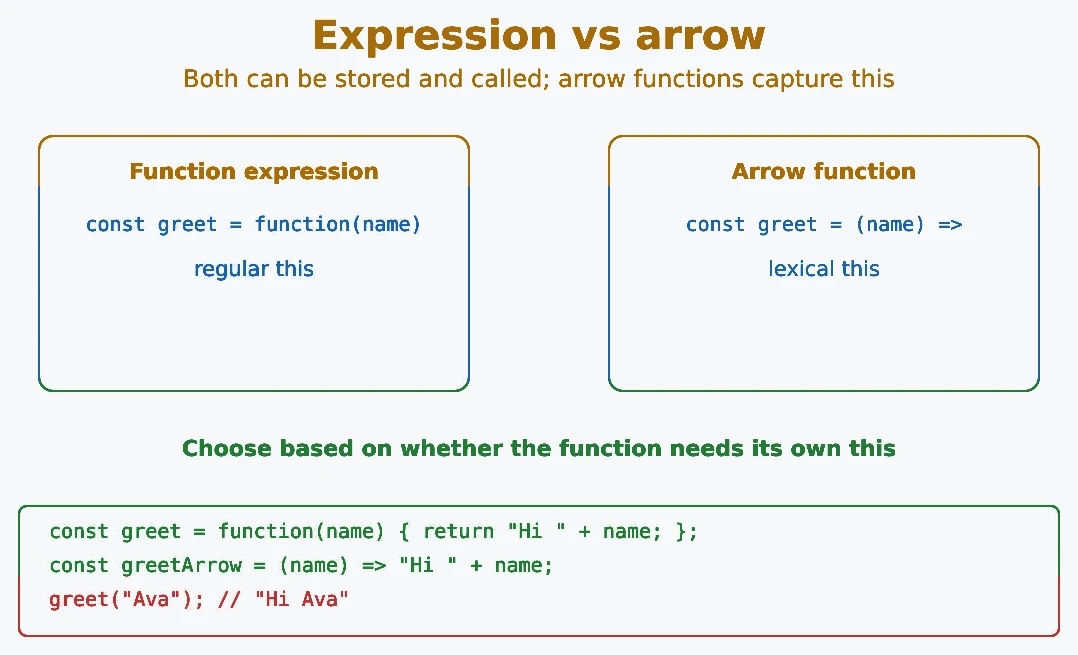
Syntax
// Function expression
const greet = function(name) {
  return "Hello, " + name;
};

// Arrow function - same result
const greetArrow = (name) => "Hello, " + name;
this
const item = { name: "JS" };

const regularFn = function() {
  console.log(this === item);
};

const arrowFn = () => {
  console.log(this === item);
};

regularFn.call(item); // true
arrowFn.call(item);   // false
arguments object
const regularFn = function() {
  console.log(arguments); // works
};

const arrowFn = () => {
  console.log(arguments); // ReferenceError: arguments is not defined
};

regularFn(1, 2, 3);
new keyword
const Fn = function() { this.value = 42; };
const obj1 = new Fn(); // works fine

const ArrowFn = () => {};
const obj2 = new ArrowFn(); // TypeError: ArrowFn is not a constructor
super
class Animal {
  speak() { return "..."; }
}

class Dog extends Animal {
  speak() {
    // regular method can use super
    return super.speak() + " Woof!";
  }
}

console.log(new Dog().speak()); // ... Woof!
Arrow functions do not define their own super. If you need a class method that uses super, use a regular method for that job.
Implicit return
// Arrow function with implicit return (no braces, no return keyword)
const add = (a, b) => a + b;
console.log(add(3, 4)); // 7

// Returning an object - wrap in parentheses
const makeObj = (x) => ({ value: x });
console.log(makeObj(10)); // { value: 10 }
When an arrow function body has no curly braces, the expression is automatically returned. This is called implicit return. If you use curly braces, you must write return yourself. To return an object literal without a block, wrap it in parentheses.
Rule of thumb: Use arrow functions for small callbacks and utility functions. Use regular functions when you need this, arguments, or constructor behavior.
Creating a function only defines what it should do. The code inside the
function does not run automatically. To execute the function, you need to
call (or invoke) it by writing its name followed by
parentheses ().
Every time you call a function, JavaScript runs the code inside it. You can call the same function as many times as you want, which helps you reuse code instead of writing the same logic again and again.
If the function accepts parameters, you can pass values inside the parentheses when calling it. These values are called arguments and allow the function to produce different results for different inputs.
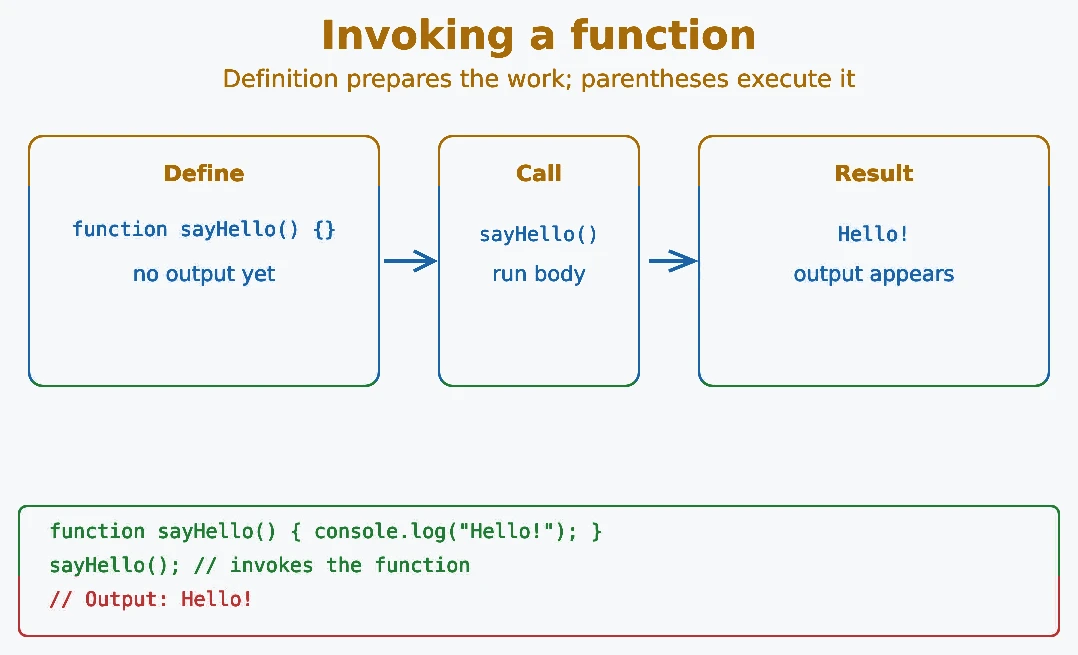
function sayHello() {
  console.log("Hello!");
}

sayHello(); // Invokes the function -> Output: Hello!
Functions can also be called from inside other functions:
function notifyUser(orderId) {
  const message = buildNotification(orderId);
  console.log(message);
}

function buildNotification(orderId) {
  return "Order " + orderId + " shipped!";
}

notifyUser("ORD-7890"); // Order ORD-7890 shipped!A parameter is a variable written inside the parentheses of the function definition. It acts as a placeholder for a value the function can receive.
An argument is the actual value you pass when calling the function. JavaScript assigns each argument to its matching parameter.
In simple words, parameters belong to the function definition, while arguments belong to the function call. This makes functions flexible and reusable.
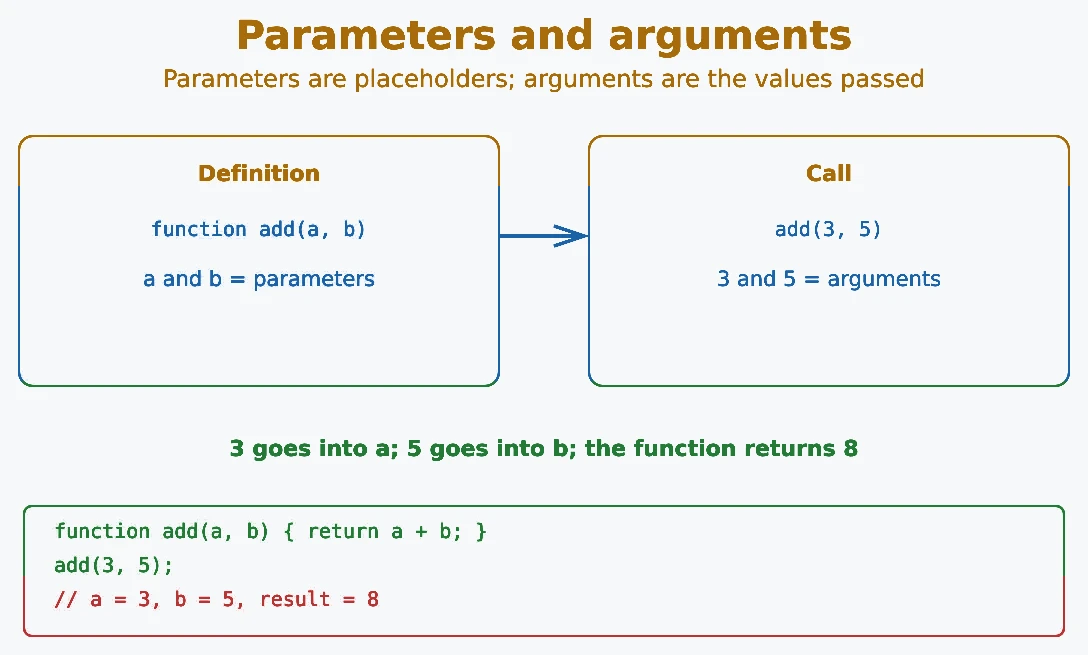
// 'a' and 'b' are parameters
function add(a, b) {
  return a + b;
}

// 3 and 5 are arguments
console.log(add(3, 5)); // 8
If you pass fewer arguments than parameters, the missing parameters are undefined unless they have default values. If you pass more arguments, the extras are available through the arguments object or rest parameters such as ...args.
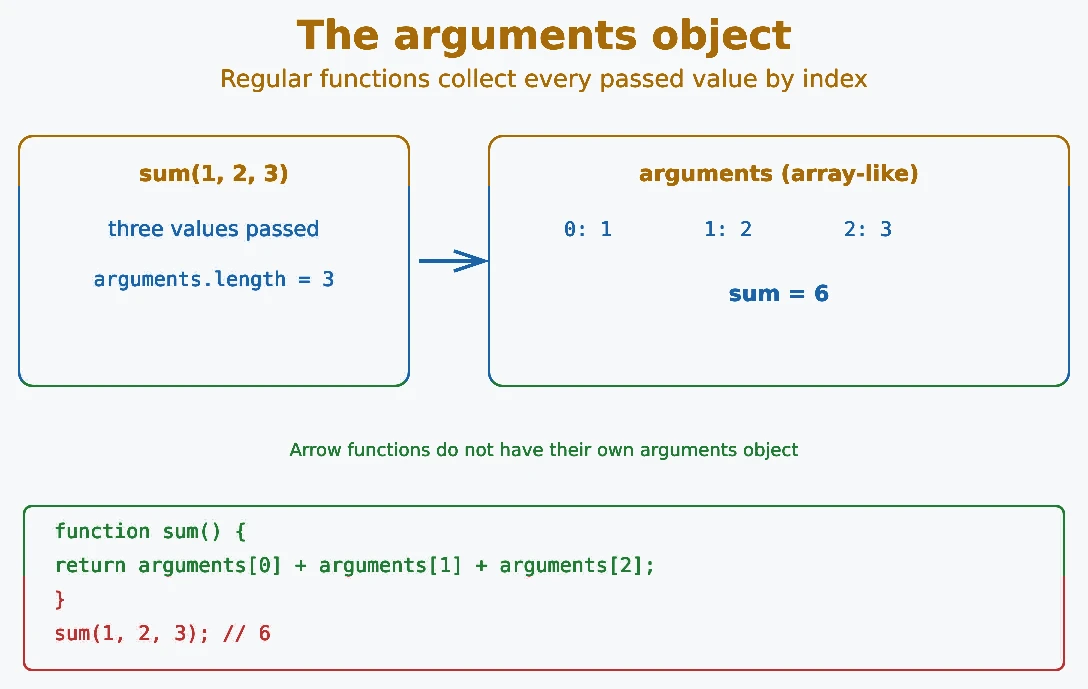
Inside a regular JavaScript function, there is a special array-like object
called arguments. It automatically stores all
the values passed to the function, even if you do not define parameters for
them.
The arguments object lets you access each argument by its index
and find out how many arguments were passed. This is useful when a function
can receive a different number of values every time it is called.
Keep in mind that the arguments object is available only inside
regular functions. It does not exist in
arrow functions. In modern JavaScript, the
rest parameter (...args) is usually preferred
because it provides a real array and is easier to work with. You can learn
more in the Rest Parameters tutorial.
function sum() {
  let total = 0;
  for (let i = 0; i < arguments.length; i++) {
    total += arguments[i];
  }
  return total;
}

console.log(sum(1, 2, 3));       // 6
console.log(sum(10, 20, 30, 40)); // 100
arguments is array-like but not a real array. You can convert it to an array using Array.from(arguments) or the spread operator [...arguments]. In modern code, prefer using rest parameters instead.
Default parameters allow you to assign a default value to a
function parameter. If no argument is passed, or the argument is
undefined, JavaScript automatically uses the default value
instead. This feature was introduced in ES6.
Default parameters make functions more flexible and prevent errors caused by missing values. Instead of checking whether an argument exists, you can define a fallback value directly in the function declaration, making your code cleaner and easier to read.
They are commonly used for optional settings, default options, and values that should be used when the caller does not provide an argument. This helps you write more reliable and reusable JavaScript functions.
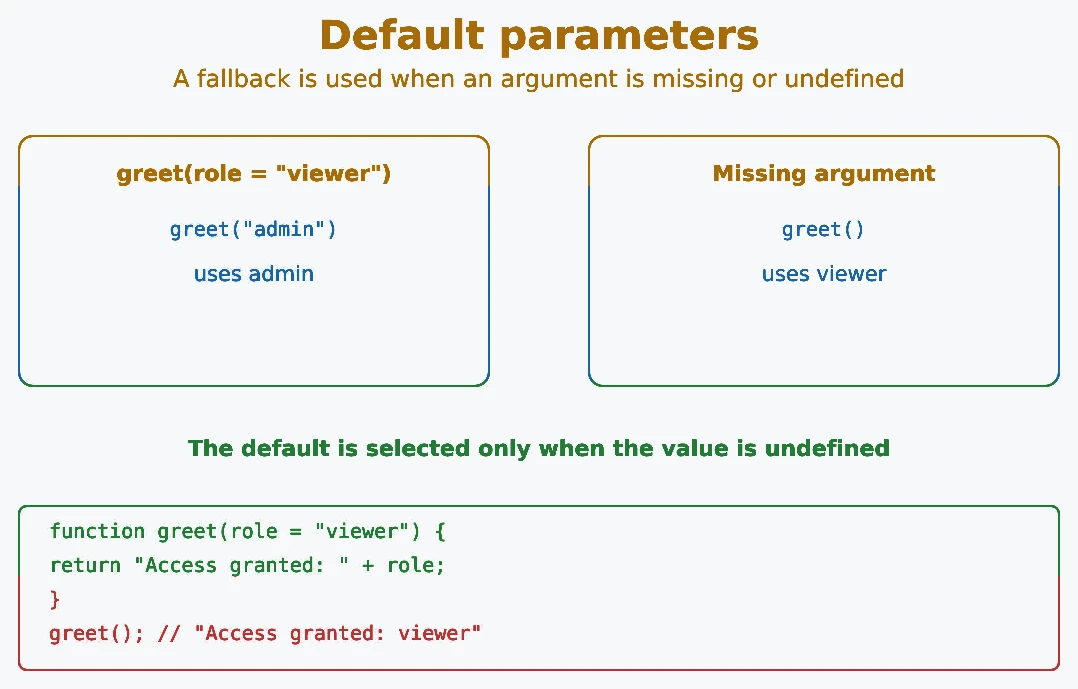
function greet(role = "viewer") {
  return "Access granted: " + role;
}

console.log(greet("admin")); // Access granted: admin
console.log(greet());        // Access granted: viewer
You can use any expression as a default value, including another function call or another parameter:
function multiply(a, b = a * 2) {
  return a * b;
}

console.log(multiply(3));    // 3 * 6 = 18
console.log(multiply(3, 4)); // 3 * 4 = 12JavaScript always passes arguments by value. For primitives, the copied value is independent data. For objects and arrays, the copied value is a reference to the same object, so both the caller and the function can access that object:
- Primitives (numbers, strings, booleans) are passed by value. A copy is made, so changes inside the function do not affect the original.
- Objects and arrays are also passed by value, but that value points to the same object. Changing a property through the parameter can therefore affect the original object. Reassigning the parameter only changes the local parameter and does not replace the caller's variable.
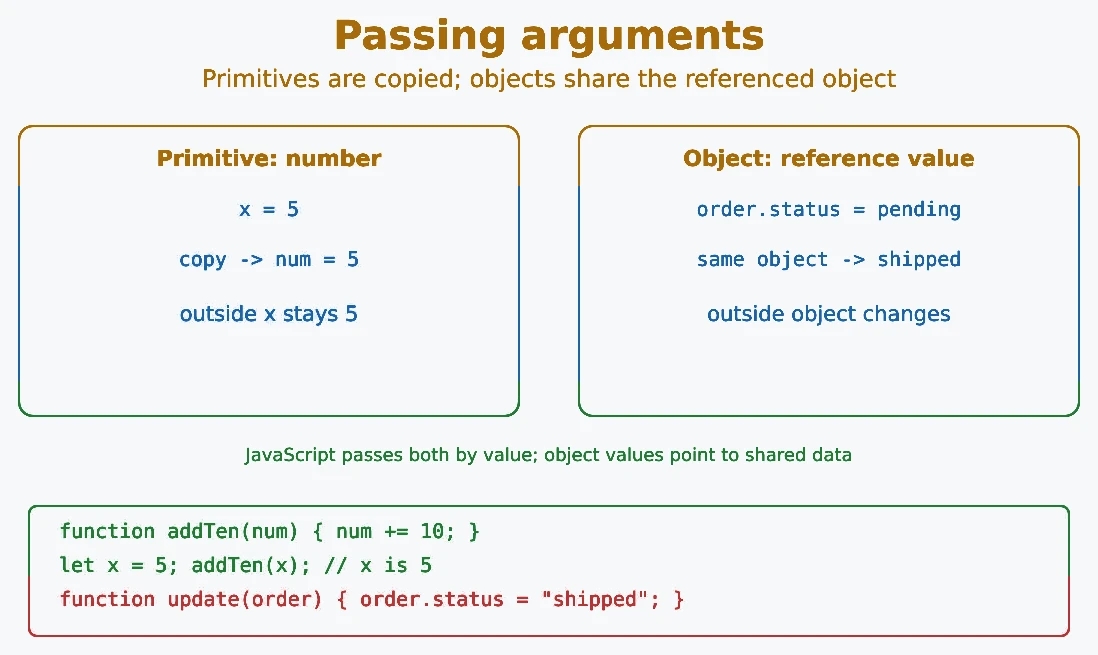
Passing by value (primitives)
function addTen(num) {
  num += 10; // changes local copy only
  console.log("Inside:", num); // Inside: 15
}

let x = 5;
addTen(x);
console.log("Outside:", x); // Outside: 5 (unchanged)
Passing an object reference value
function updateStatus(order) {
  order.status = "shipped"; // modifies the original object
}

const order = { status: "pending" };
updateStatus(order);
console.log(order.status); // shipped (changed!)
To avoid accidentally mutating an object, create a shallow copy before modifying it inside a function using the spread operator or Object.assign. A shallow copy is enough for top-level properties; nested objects still need a deliberate copy strategy.
- Function: a reusable block of code that performs a task.
- Function declaration: hoisted; can be called before its definition.
- Function expression: assigned to a variable or used as a value; call it only after initialization.
- Arrow function: concise syntax; no own
this,arguments, ornew. - Anonymous function: a function with no name, used inline or as a callback.
- Parameters: named variables in the function definition that receive the values passed in when the function is called.
- Arguments: actual values passed when calling a function.
argumentsobject: available in regular functions; holds all passed arguments.- Default parameters: provide fallback values for missing arguments.
- Pass by value: JavaScript always passes a value. For objects, that value is a reference to the object.
- Object changes: changing an object inside a function can affect the original object.
What's next? Now that you know how functions work, let's move on to arrays in the next tutorial.
- What is a function declaration and how does it differ from a function expression?
- What is an arrow function and how does it differ from a regular function?
- What is the arguments object in JavaScript?
- How do default parameters work in JavaScript?
- What is the difference between passing by value and passing by reference?
Videos for this topic will be added soon.