JavaScript Objects
Every API response you'll ever receive is an object. User profiles, product data, config settings - all objects. If you can't work with objects confidently, you can't build anything real.
An object is a JavaScript data type that stores related information in a single place using key-value pairs. Each key represents a property, and each value stores the data for that property. For example, a product object can store its name, price, category, stock, and brand together instead of using multiple separate variables.
Objects make your code more organized because all related information stays together. Instead of creating many variables, you can keep everything inside one object and easily access or update its properties whenever needed. This makes your code cleaner, easier to read, and simpler to maintain.
JavaScript objects are used in almost every application. They represent real-world data such as users, products, orders, cars, students, and settings. Once you understand how objects work, learning topics like DOM, APIs, JSON, classes, and modern JavaScript becomes much easier.
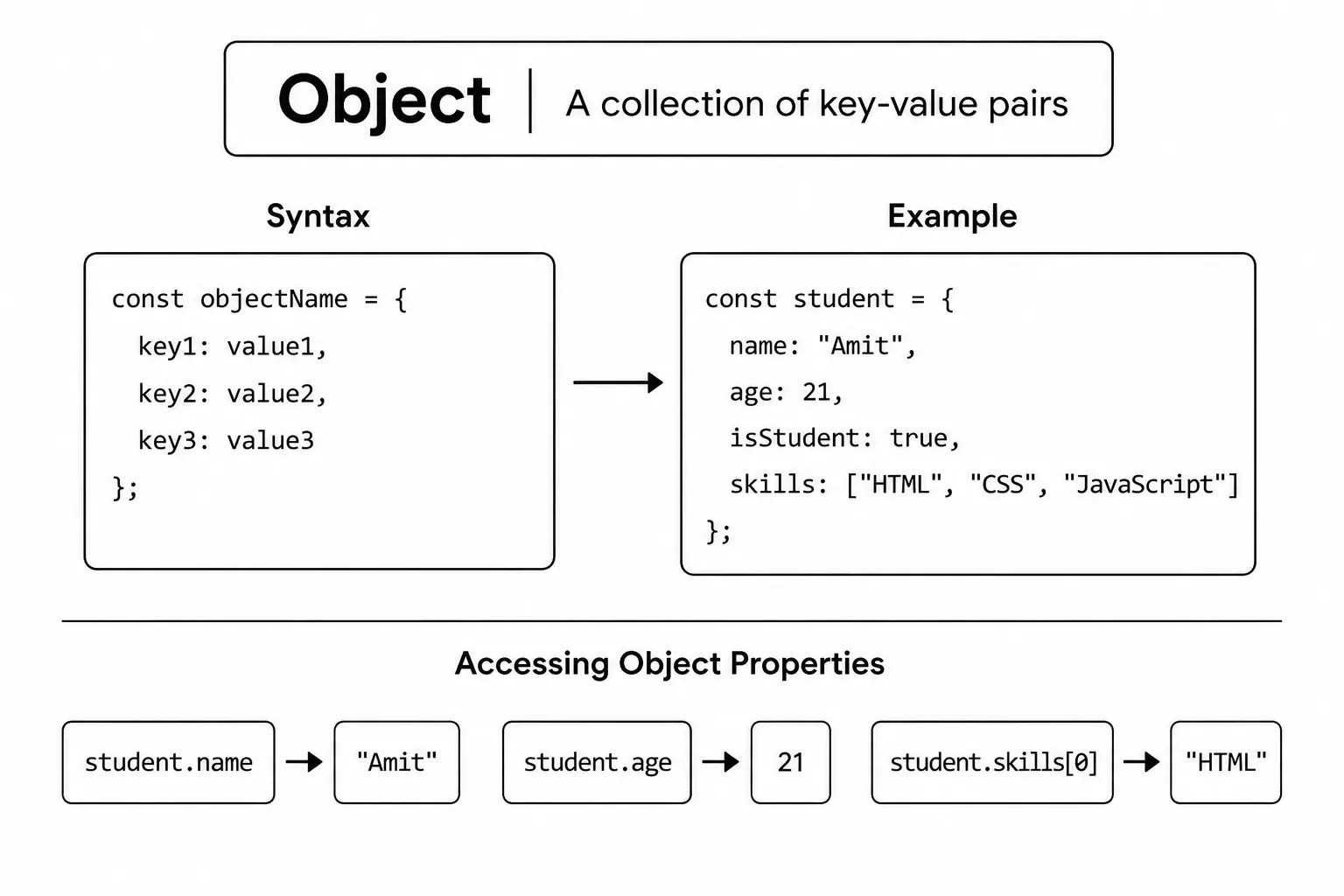
const car = {
  brand: "Toyota",
  color: "red",
  speed: 120
};

console.log(car); // { brand: 'Toyota', color: 'red', speed: 120 }
There are two common ways to create objects in JavaScript. The most common and recommended way is object literal syntax with curly braces {}.
Object Literal Syntax
You write the object directly using { key: value } pairs separated by commas. This is the simplest and most readable way to create objects.
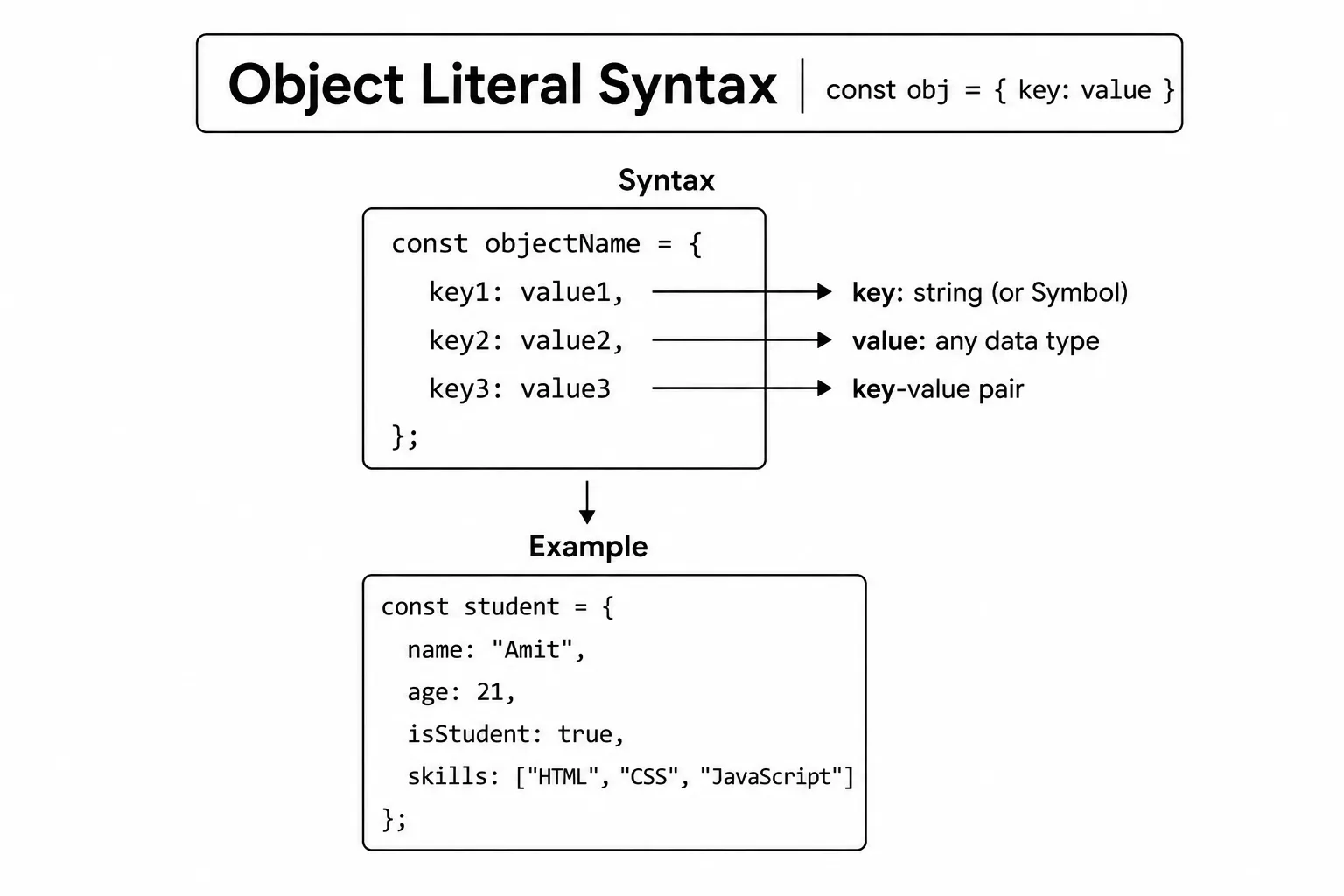
// Object literal syntax
const product = {
  name: "Wireless Headphones",
  price: 59.99,
  category: "Electronics"
};
Using the new Keyword
You can also create an object using new Object(). This is less common, but produces the same result as the literal syntax.
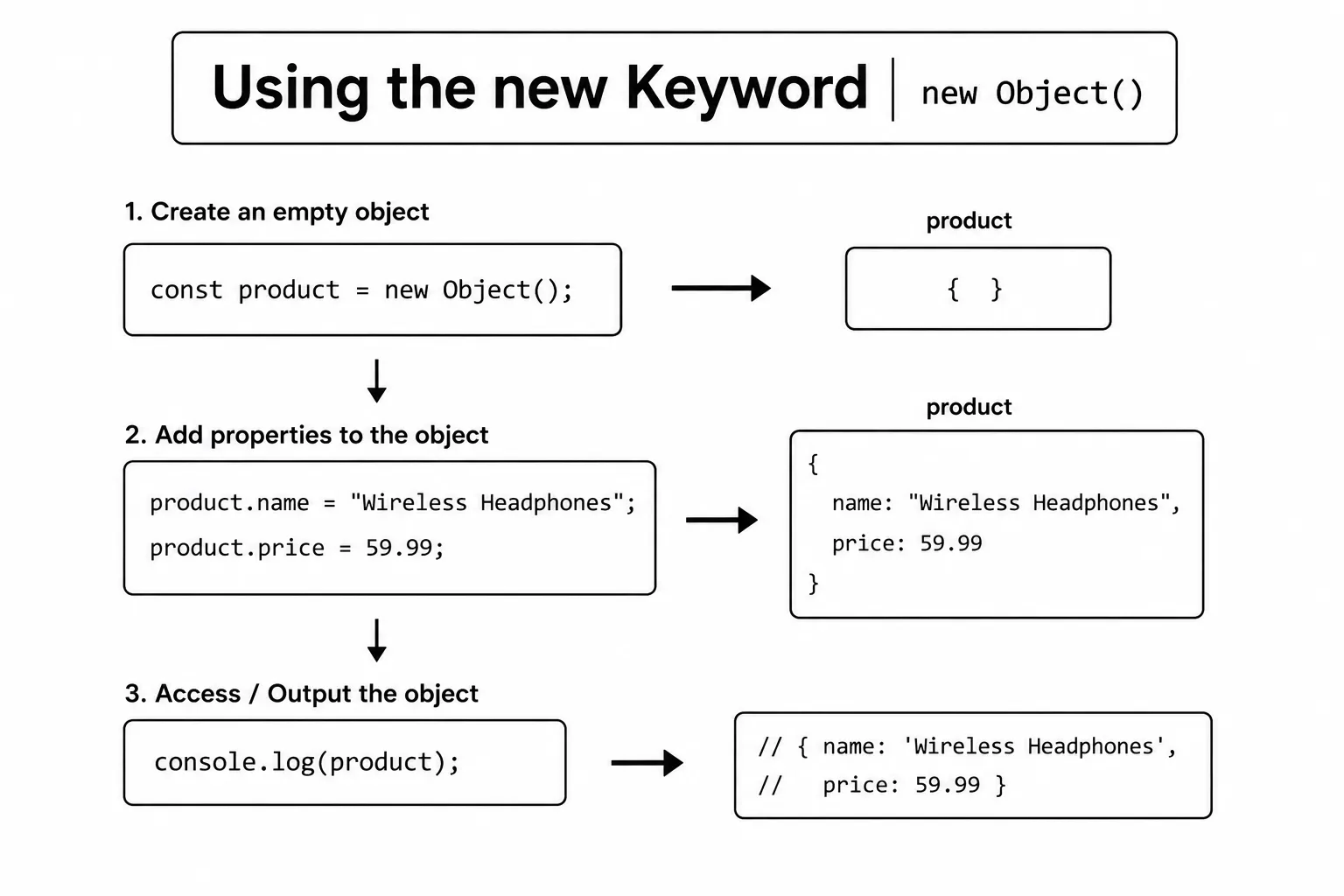
// Using new Object()
const product = new Object();
product.name = "Wireless Headphones";
product.price = 59.99;

console.log(product); // { name: 'Wireless Headphones', price: 59.99 }
In practice, the object literal syntax is preferred because it is shorter and easier to read.
Once an object is created, you can access its properties to read or use the stored values. JavaScript provides two common ways to do this: dot notation and bracket notation. Both methods return the value of a property, but they are used in different situations.
Dot notation is the simplest and most commonly used method. It is best when you know the property name in advance. On the other hand, bracket notation is useful when the property name is stored in a variable, contains spaces, or includes special characters.
If you read a property that does not exist, JavaScript returns
undefined instead of throwing an error. You can add a missing
property by assigning a value, such as product.stock = 10.
Knowing both methods is important because you will use them frequently while working with objects, APIs, JSON data, and real-world JavaScript applications. Choosing the right notation makes your code cleaner, more flexible, and easier to understand.
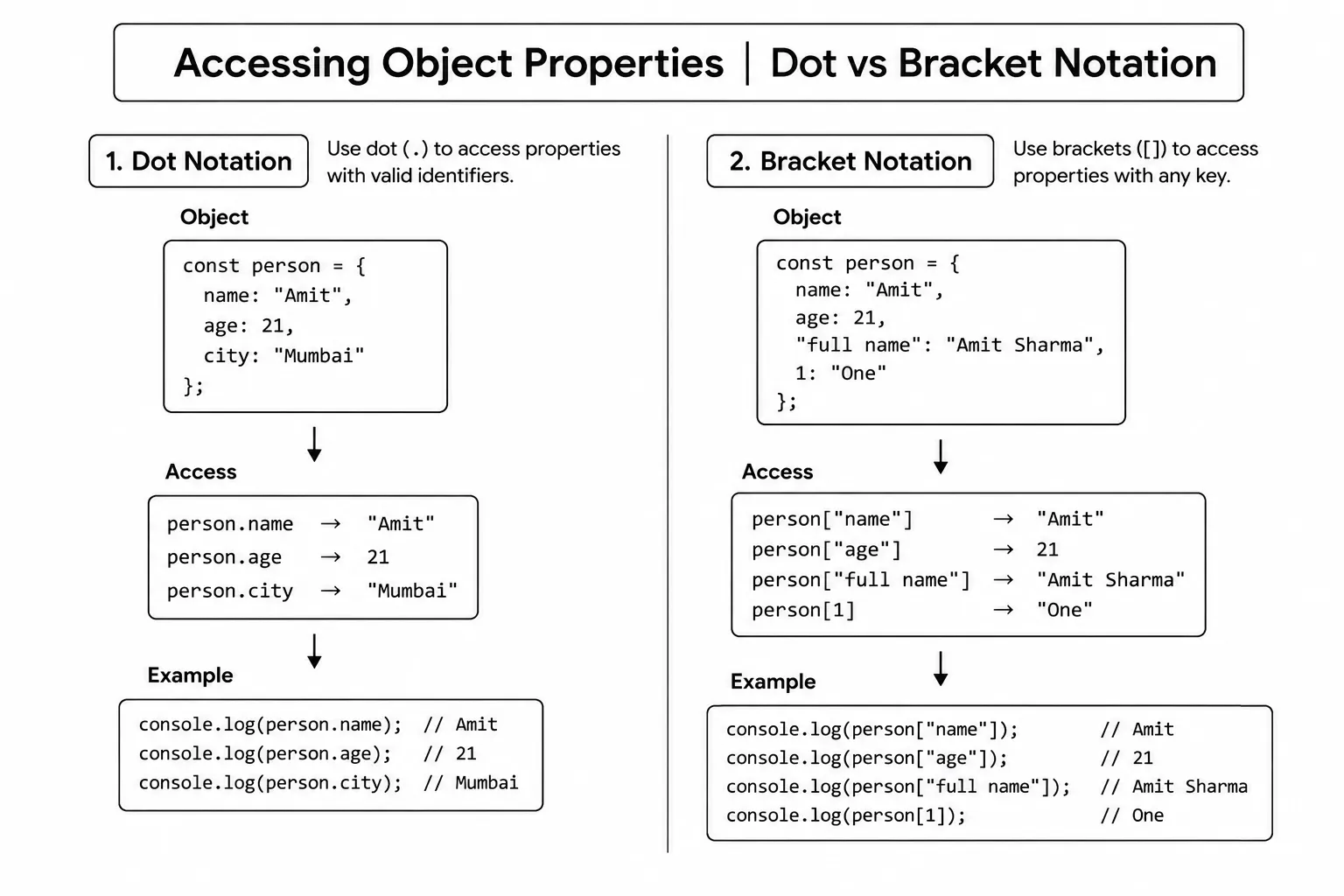
Dot Notation
Dot notation is the most common way. You write the object name, a dot, and the property name.
const product = { name: "Wireless Headphones", price: 59.99 };

console.log(product.name);  // Wireless Headphones
console.log(product.price); // 59.99
Bracket Notation
Bracket notation uses square brackets with the property name as a string. It is useful when the property name is stored in a variable or contains special characters.
const product = { name: "Wireless Headphones", price: 59.99 };

console.log(product["name"]); // Wireless Headphones

// Useful when the key is in a variable
const key = "price";
console.log(product[key]); // 59.99Each item inside an object is called a property. A property has two parts - a key and a value.
Key
A key is the name of a property in an object. It is used to identify and access the value stored inside the object. In JavaScript, keys are usually written as strings, even when you do not use quotation marks.
Every key should be unique within an object. You use the key whenever you want to read, update, or delete a property's value using dot notation or bracket notation.
Most object keys are strings, even when you write them without quotation
marks. JavaScript also supports Symbol values as keys, which are
useful when you need a property that will not conflict with normal string
keys.
Value
A value is the data stored inside a property. JavaScript
allows a value to be almost any data type, including a string, number,
boolean, array, object, null, undefined, or even a
function.
Values hold the actual information about an object. For example, a user object can store a name, age, email, and address as values, making it easy to keep related data together in one place.
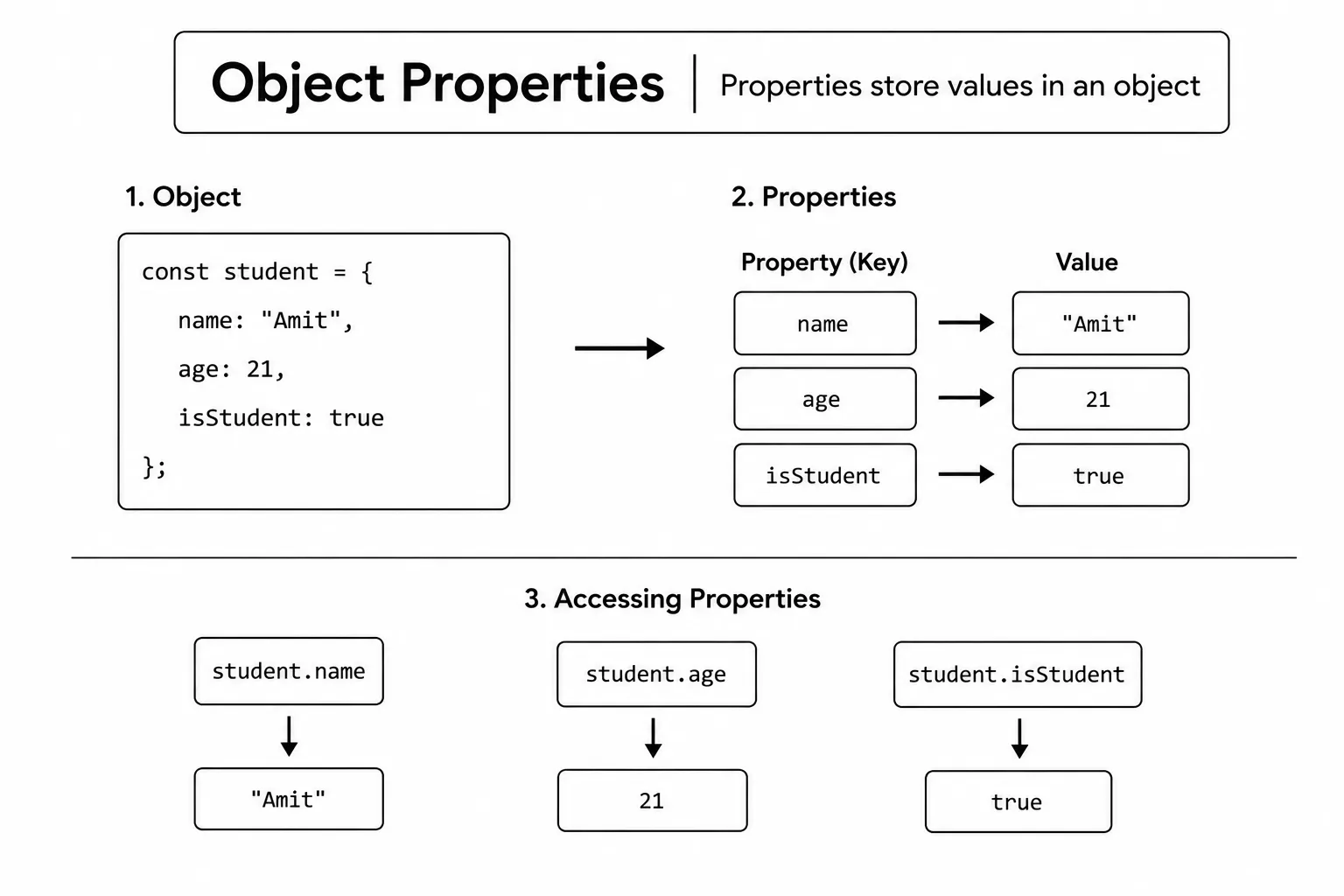
const product = {
  name: "Laptop",    // key: name,  value: "Laptop"
  price: 999,        // key: price, value: 999
  inStock: true      // key: inStock, value: true
};

// You can add or update a property at any time
product.discount = 10;
product.price = 899;

console.log(product.price);    // 899
console.log(product.discount); // 10An object property can store an array as its value. This is useful when a single property needs to hold multiple related items instead of just one value.
For example, a student object can store a list of subjects, a product object can store multiple images, or a user object can keep a list of skills. By storing related values in an array, your data stays organized and easier to manage.
Once an array is stored inside an object, you can access its items using the
property name and array indexes. You can also use array methods like
push(), pop(), map(), and
filter() to work with the stored data.
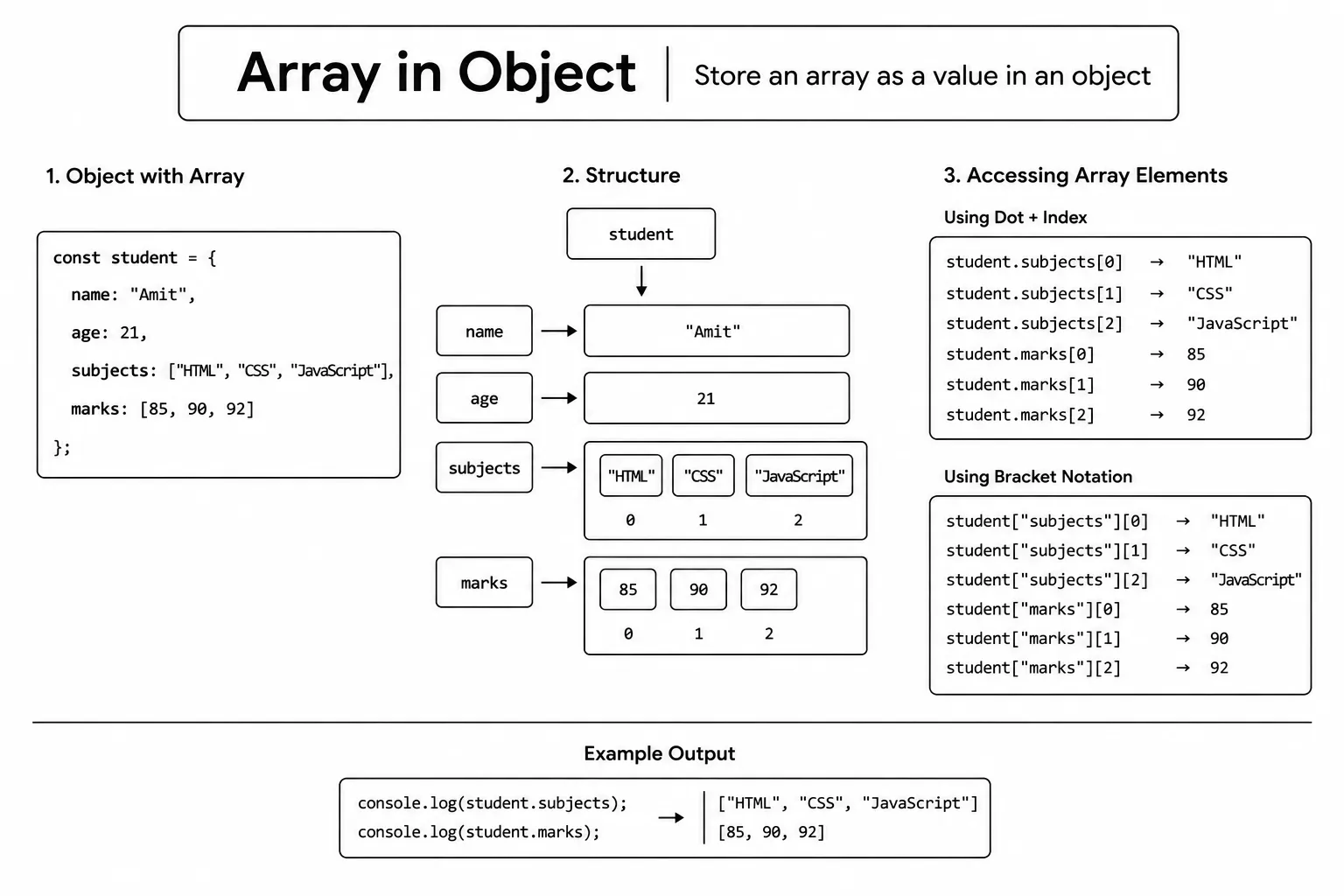
const product = {
  name: "Laptop Stand",
  ratings: [5, 4, 5, 3]
};

console.log(product.ratings);     // [5, 4, 5, 3]
console.log(product.ratings[0]);  // 5 (first rating)
You access the array using dot notation, then use a numeric index inside square brackets to get a specific item from the array.
An object can also store a function as one of its properties. When a function belongs to an object, it is called a method. Methods allow an object to perform actions instead of only storing information.
A method can use the object's own properties to perform a task. For example, a user object can have a method to display a full name, a product object can calculate a discount, or a car object can start the engine. This keeps both the data and the related functionality together.
Methods are an important part of JavaScript because they help you write organized, reusable, and easy-to-maintain code. You will use object methods frequently when working with objects, classes, APIs, and real-world applications.
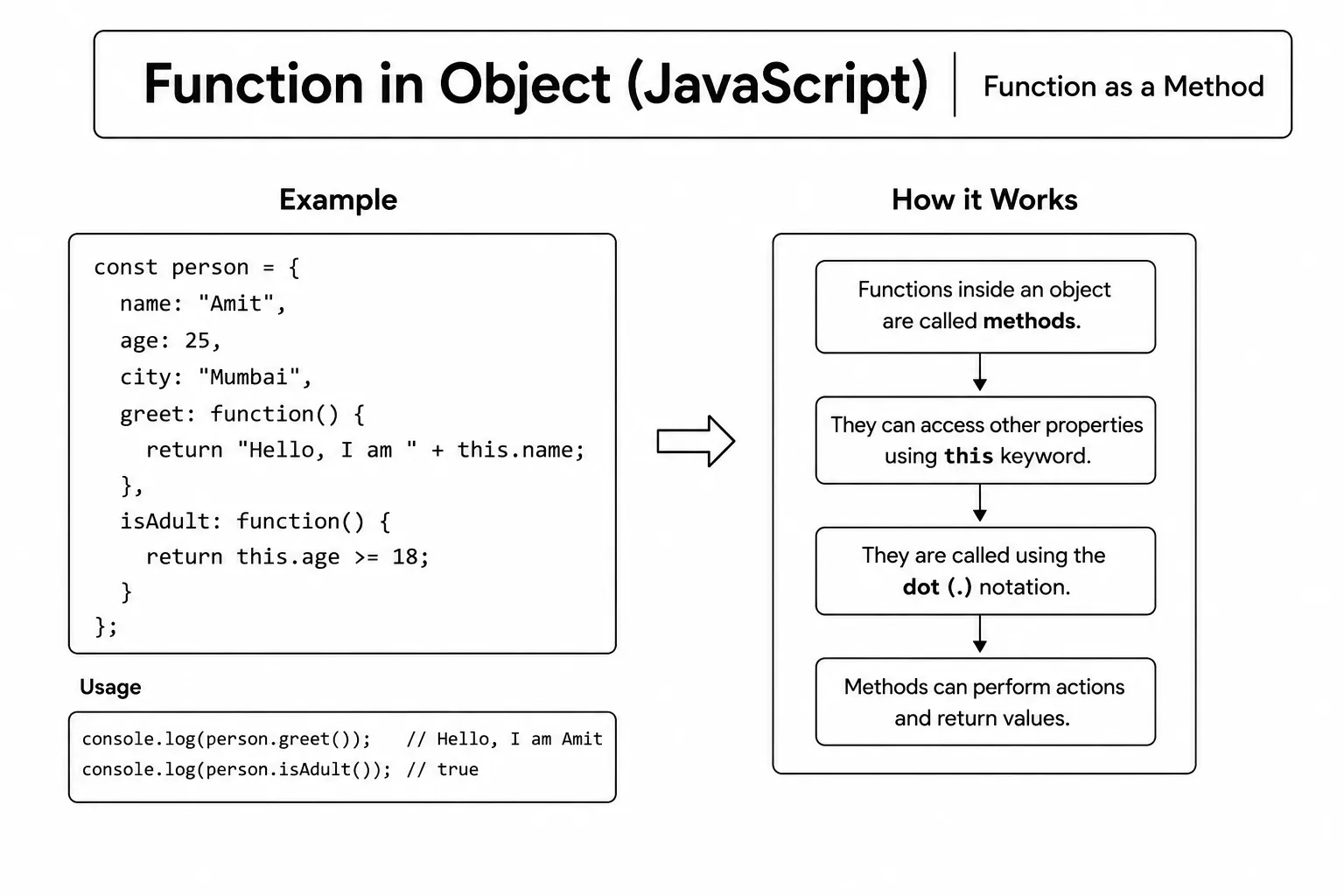
const product = {
  name: "Wireless Headphones",
  describe: function() {
    console.log("Product: Wireless Headphones - $59.99");
  }
};

product.describe(); // Product: Wireless Headphones - $59.99
You call a method the same way you access a property - using dot notation followed by parentheses (). The parentheses are important because they execute the function; without them, you only get the function itself.
Inside an object method, this refers to the
object that the method belongs to. It allows the method to access the
object's own properties and methods without writing the object's name again.
Using this makes your code cleaner and easier to maintain. If
the object name changes, you do not need to update every reference inside the
method because this automatically points to the current object.
The value of this depends on how the method is called. Calling
product.describe() sets this to
product, but storing the method in a separate variable and
calling it by itself can lose that object connection. Keep the object before
the dot when you need the method to use this.
The this keyword is commonly used to read or update object
properties, call other methods, and work with object data. Understanding
this is an important step toward learning objects, classes, and
modern JavaScript.
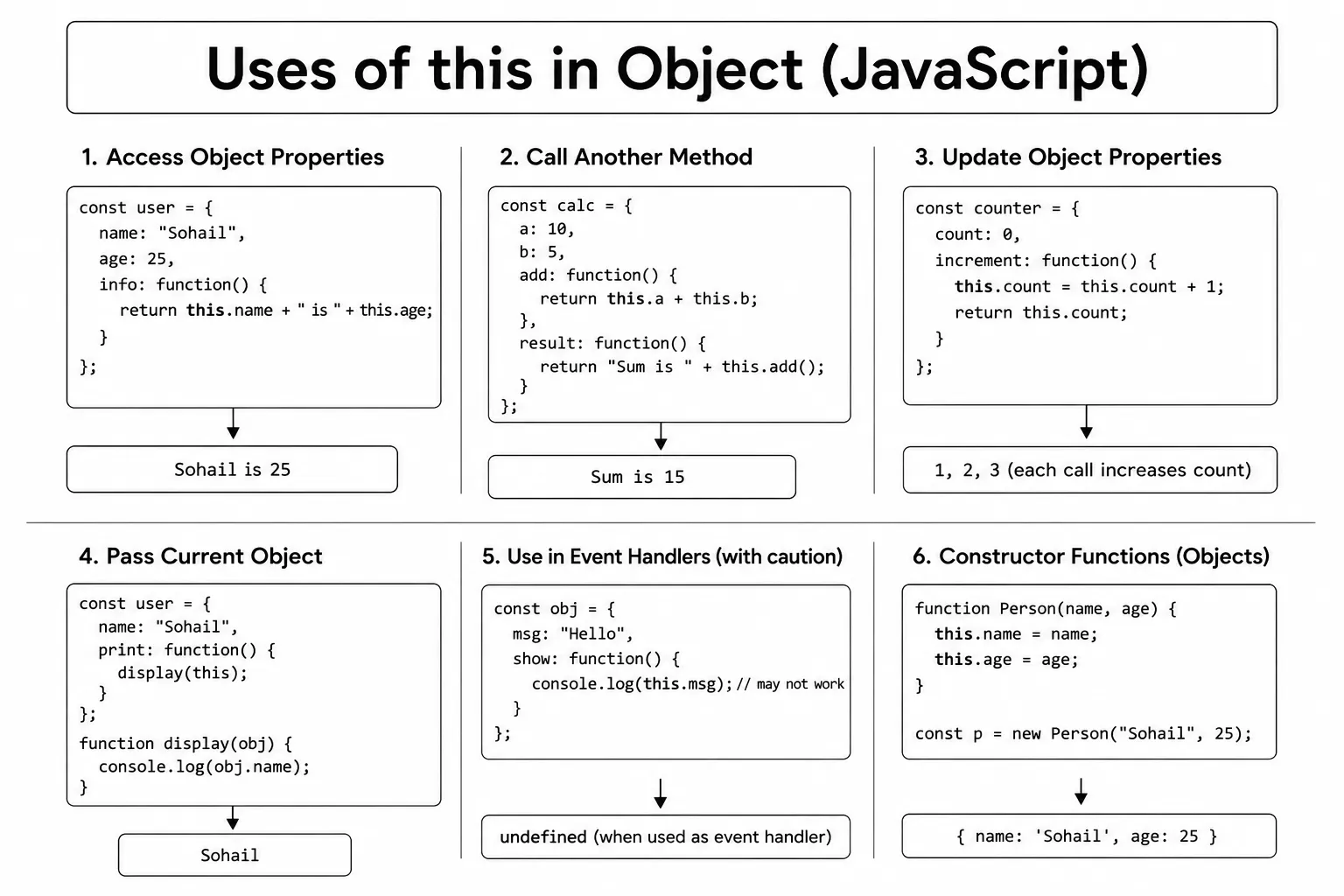
const product = {
  name: "Wireless Headphones",
  price: 59.99,
  category: "Electronics",
  describe: function() {
    console.log(this.name + " costs $" + this.price + " in " + this.category + ".");
  }
};

product.describe(); // Wireless Headphones costs $59.99 in Electronics.
Using this instead of the object name directly makes the method flexible. If you rename the object variable, the method still works correctly.
Note
Avoid using arrow functions as object methods if you need this. Arrow functions do not have their own this - they inherit it from the surrounding scope, which may not be the object.
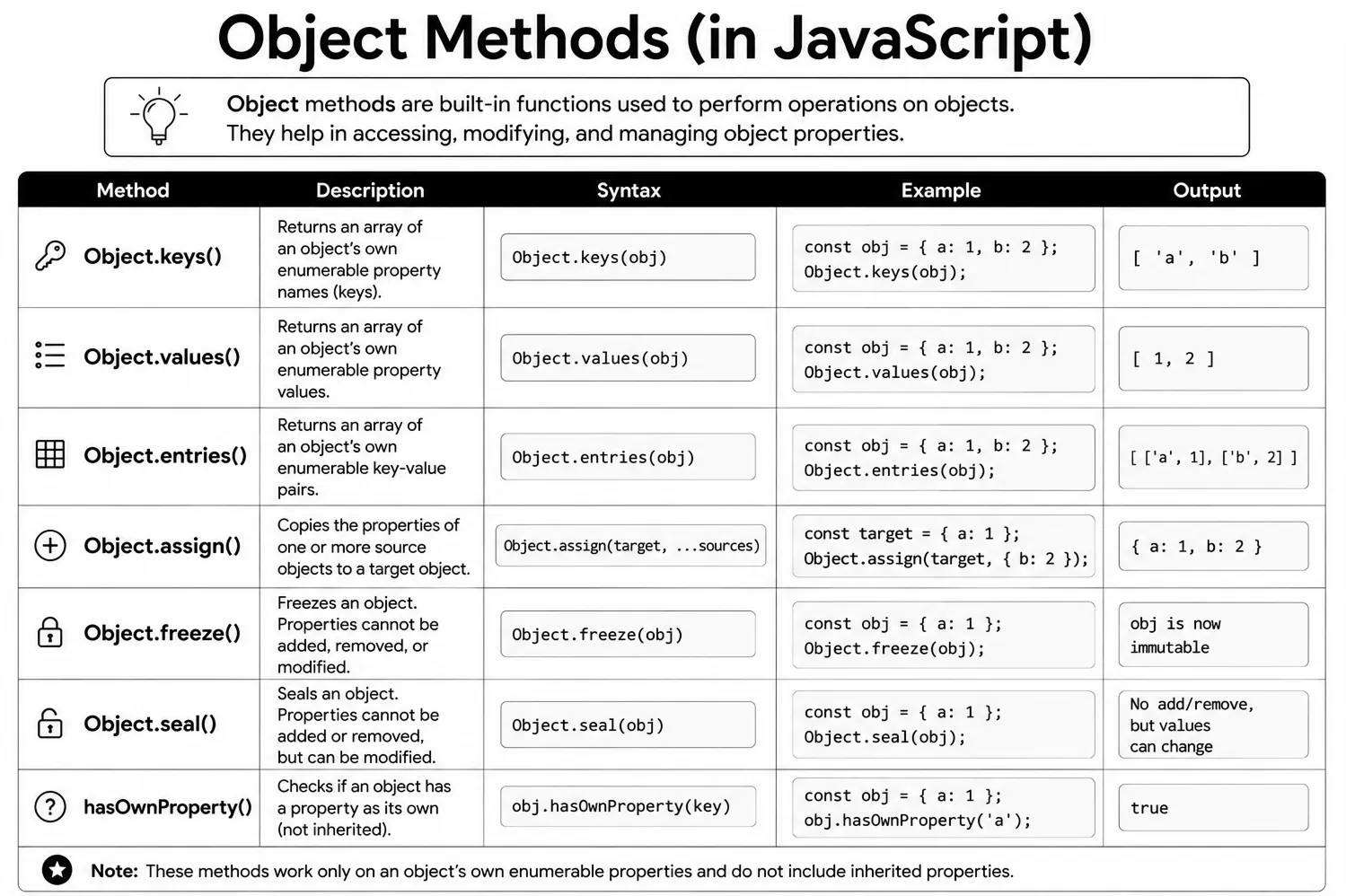
JavaScript gives you a few handy built-in helpers for working with objects. The three you'll use most often are Object.keys(), Object.values(), and Object.entries().
- Object.keys() - returns an array of all the property keys (names).
- Object.values() - returns an array of all the property values.
- Object.entries() - returns an array of
[key, value]pairs.
These methods are very handy when you need to loop through an object or inspect its contents.
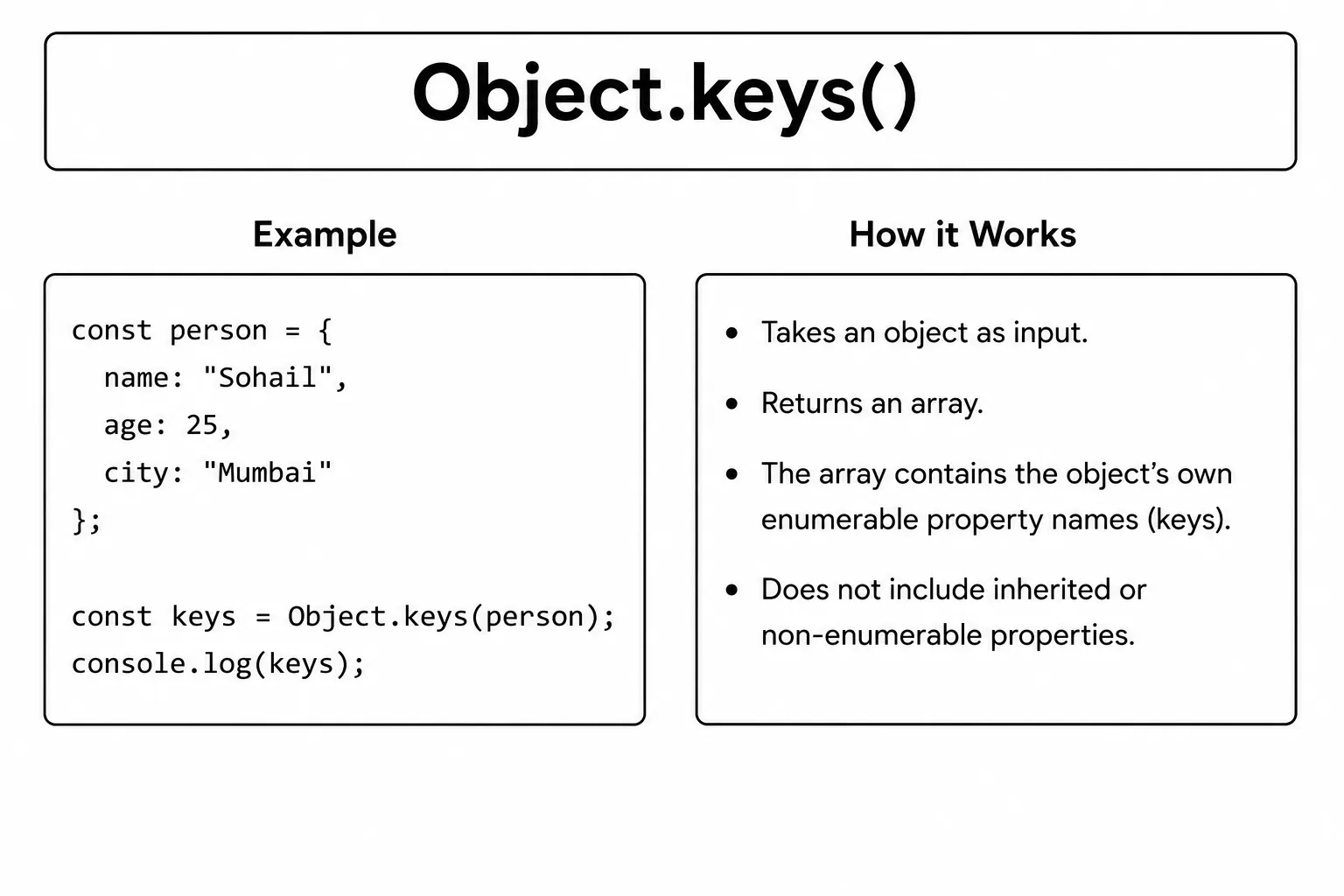
The Object.keys() method returns an array
containing all the property names (keys) of an object. Each key becomes an
element in the returned array, making it easy to work with object properties.
The original object is not modified. Instead,
Object.keys() creates and returns a new array, which you can
loop through, display, or use with array methods like
forEach(), map(), and
filter().
The Object.keys() method is commonly used when you need to list
all property names, iterate through an object's data, or process dynamic
objects whose keys are not known in advance.
const product = {
  name: "Wireless Headphones",
  price: 59.99,
  category: "Electronics"
};

const keys = Object.keys(product);
console.log(keys); // ['name', 'price', 'category']
The returned array follows JavaScript's property-order rules: integer-like keys come first in numeric order, followed by other string keys in insertion order. You can use .length on the result to count how many properties an object has.
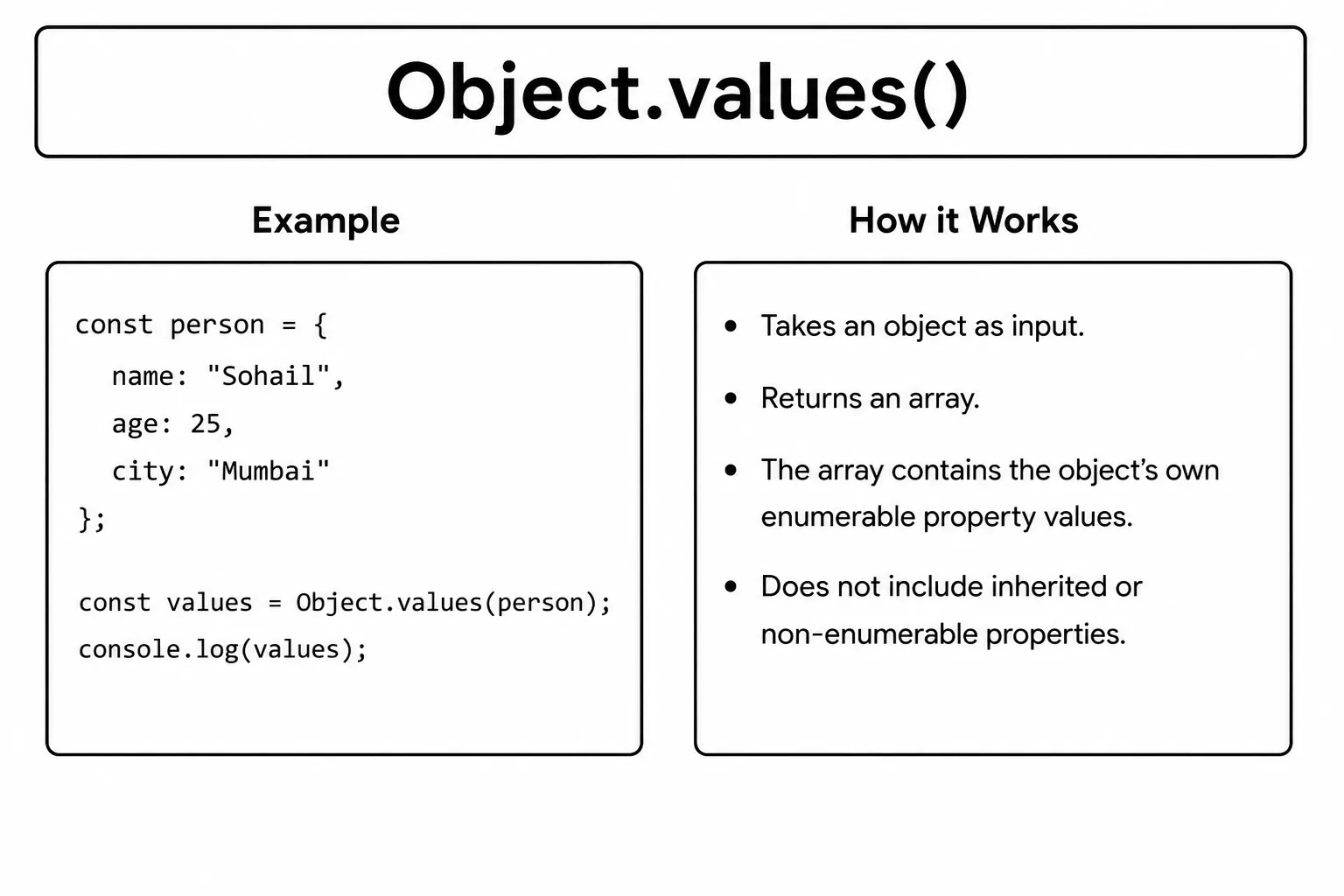
The Object.values() method returns an array
containing all the values stored in an object. Each property
value becomes an element in the returned array, while the original object
remains unchanged.
Unlike Object.keys(), which returns property names,
Object.values() returns only the values. This makes it easy to
access, display, or process the data stored inside an object.
The Object.values() method is commonly used to loop through
object data, calculate totals, display values, or use array methods like
forEach(), map(), filter(), and
reduce() on object values.
const product = {
  name: "Wireless Headphones",
  price: 59.99,
  category: "Electronics"
};

const values = Object.values(product);
console.log(values); // ['Wireless Headphones', 59.99, 'Electronics']
This is handy when you need to work with just the data inside an object without caring about the property names.
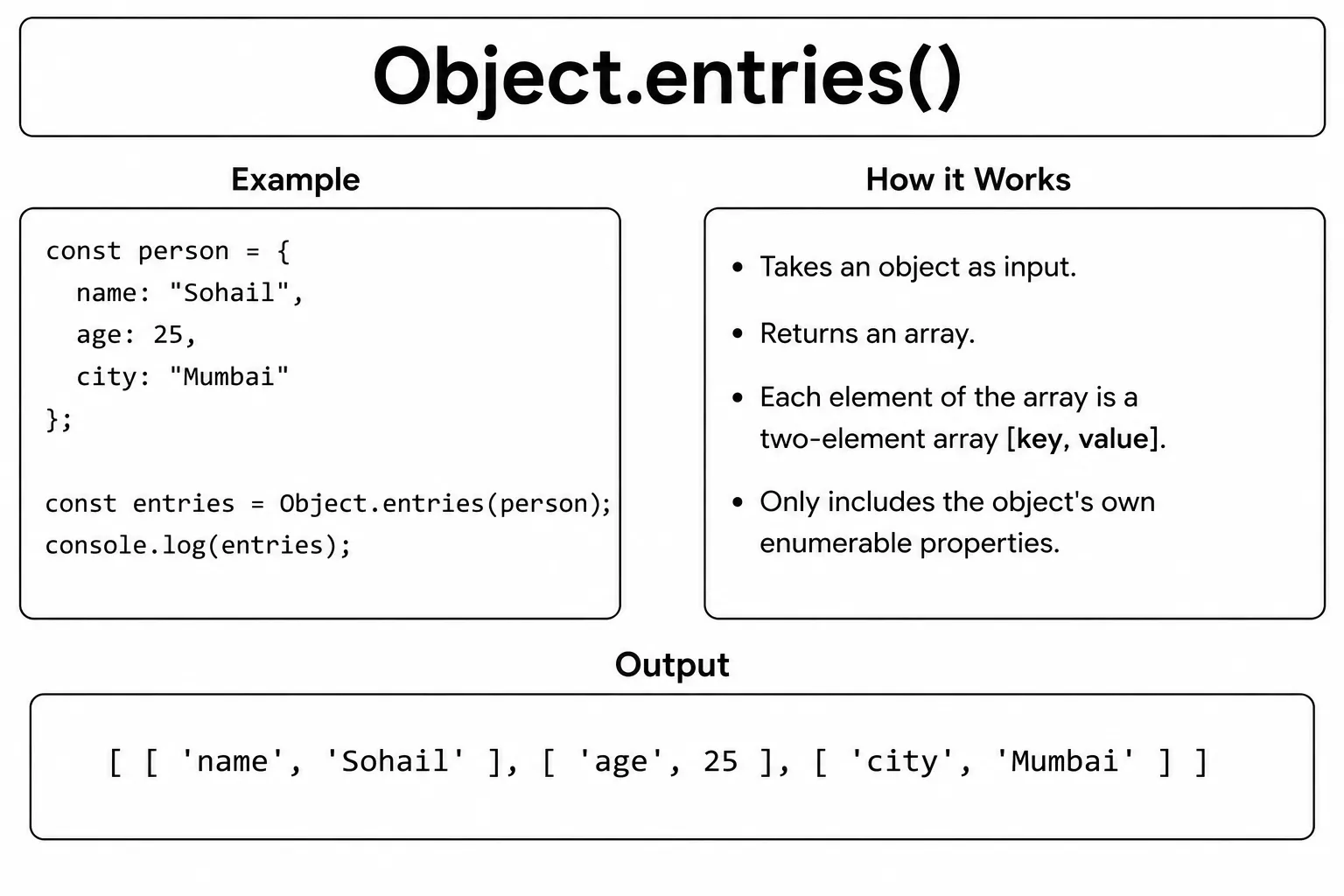
The Object.entries() method returns an array
containing both the property names and their values. Each item in the
returned array is a small [key, value] pair, making it easy to
work with both pieces of information together.
The original object is not modified. Instead,
Object.entries() creates a new array that you can loop through
using for...of, forEach(), or other array methods
to access both keys and values at the same time.
The Object.entries() method is commonly used to display object
data, convert objects into arrays, or process both property names and values
together in modern JavaScript applications.
const product = {
  name: "Wireless Headphones",
  price: 59.99,
  category: "Electronics"
};

const entries = Object.entries(product);
console.log(entries);
// [['name', 'Wireless Headphones'], ['price', 59.99], ['category', 'Electronics']]
Object.entries() is especially useful when you want to loop over an object and need both the key and the value at the same time.
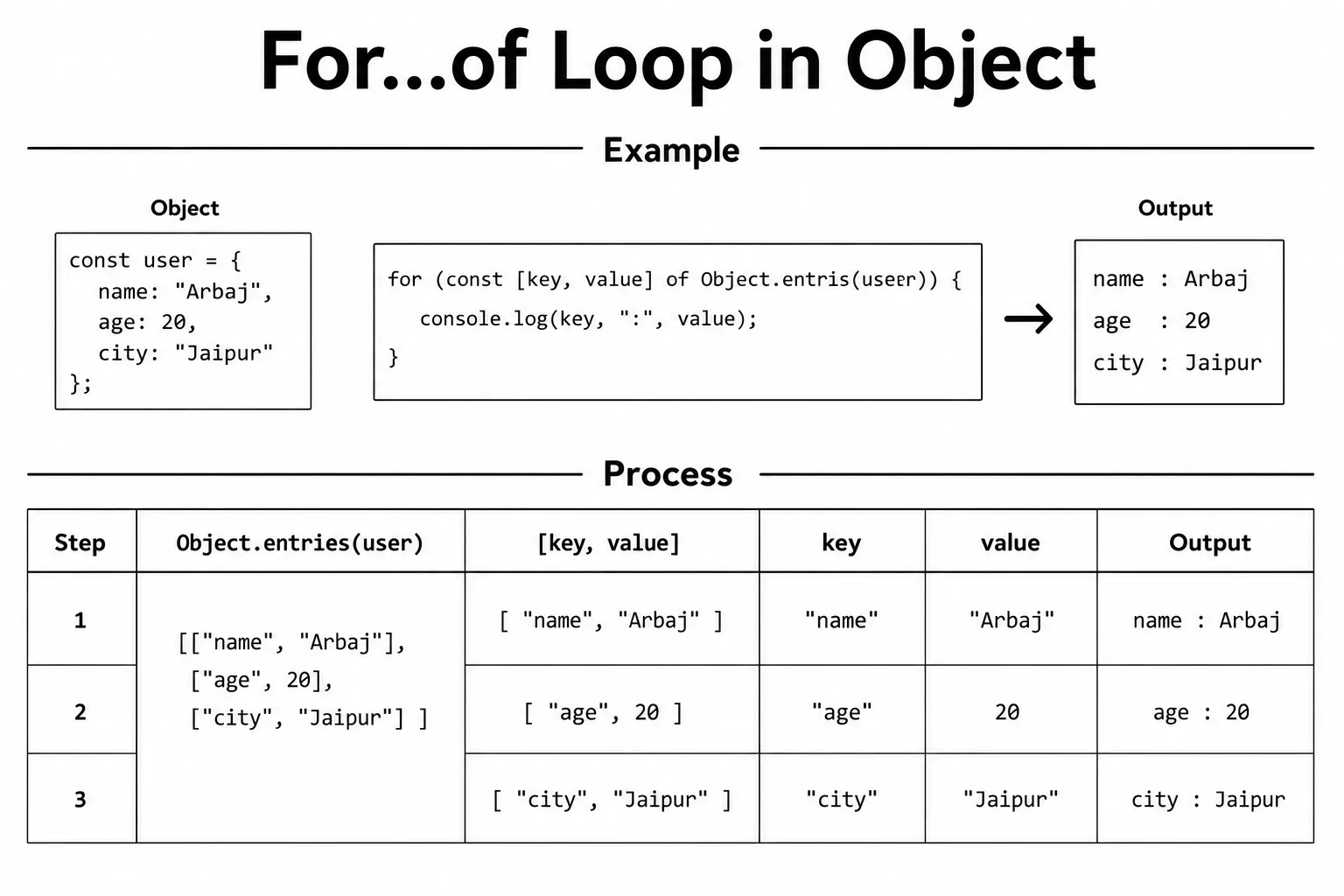
JavaScript objects cannot be used directly with a
for...of loop because they are not iterable. To loop through an
object's properties, you can first convert it into an array using
Object.entries().
The Object.entries() method returns an array of
[key, value] pairs. You can then use a
for...of loop to access each property name and its value one by
one.
Using destructuring, you can easily unpack each
[key, value] pair into separate variables. This makes your code
cleaner, easier to read, and is the preferred way to iterate over object
properties in modern JavaScript.
const product = {
  name: "Wireless Headphones",
  price: 59.99,
  category: "Electronics"
};

for (const [key, value] of Object.entries(product)) {
  console.log(key + ": " + value);
}
// name: Wireless Headphones
// price: 59.99
// category: Electronics
This pattern is clean and readable. You can also use Object.keys() or Object.values() with for...of if you only need one side of the pair.
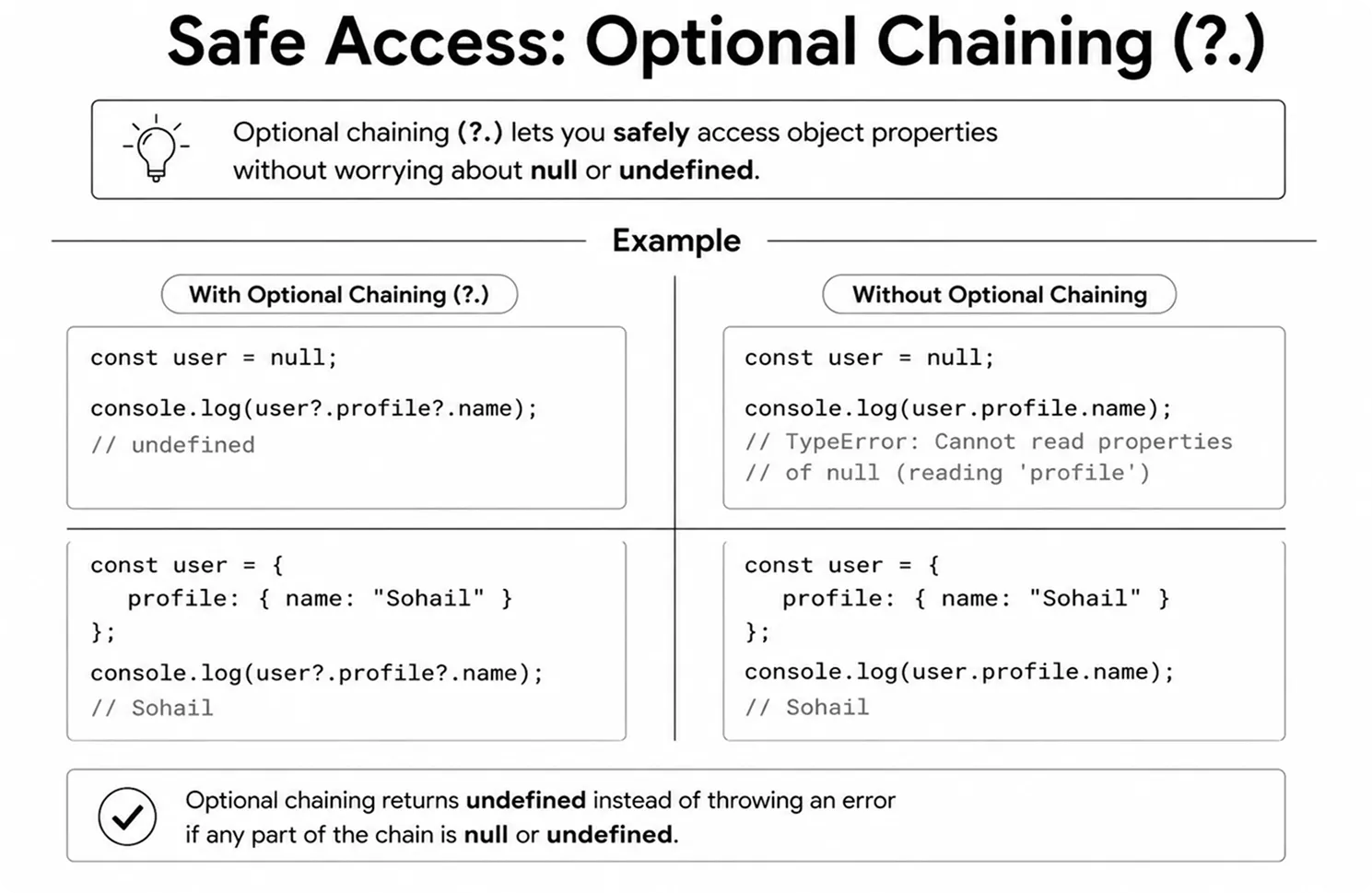
Optional chaining (?.) is a safe way to access
properties of an object, especially when working with nested objects. If any
property in the chain is null or undefined,
JavaScript stops the lookup and returns undefined instead of
throwing an error.
Without optional chaining, trying to access a missing property can cause your
program to crash with an error. Using ?. helps you write safer
code by checking each step automatically before moving to the next property.
Optional chaining is commonly used when working with API responses, JSON data, user information, or deeply nested objects where some properties may not always exist. It makes your code cleaner, easier to read, and more reliable.
const user = {
  name: "Alice",
  address: {
    city: "London"
  }
};

// Without optional chaining (can throw error)
console.log(user.address.city);       // Output: London
console.log(user.contact.phone);      // TypeError: Cannot read properties of undefined

// With optional chaining (safe)
console.log(user.address?.city);      // Output: London
console.log(user.contact?.phone);     // Output: undefined (no error)
You can chain ?. at each level when you are unsure whether a nested property exists. It only stops for null or undefined; it does not hide errors thrown by a method that did run or by unrelated code.
const order = {
  id: 101,
  shipping: null
};

console.log(order?.shipping?.address?.city);   // Output: undefined (no error)
Optional chaining also works when calling a method that might not exist, and when accessing array elements inside an object.
const player = {
  name: "Alex",
  greet() {
    return "Hello, I am " + this.name;
  }
};

const robot = { name: "R2D2" };

// Safe method call with ?.()
console.log(player.greet?.());   // Output: Hello, I am Alex
console.log(robot.greet?.());    // Output: undefined (no error)

// Safe array access with ?.[]
const store = { items: ["book", "pen"] };
const empty = {};

console.log(store.items?.[0]);   // Output: book
console.log(empty.items?.[0]);   // Output: undefined (no error)
Combine optional chaining with the nullish coalescing operator (??) to provide a fallback value when the result is null or undefined.
const settings = {
  theme: null
};

const theme = settings?.theme ?? "light";
console.log(theme);   // Output: light

const fontSize = settings?.font?.size ?? 16;
console.log(fontSize); // Output: 16- Object - a collection of key-value pairs used to group related data.
- Object literal - the most common way to create an object using
{}. - new Object() - an alternative way to create an object using the constructor.
- Dot notation -
obj.key- the standard way to access a property. - Bracket notation -
obj["key"]- useful when the key is dynamic or contains special characters. - Key - the name of a property; usually a string, or a
Symbol. - Value - the data stored in a property; can be any JavaScript type.
- Array in object - a property whose value is an array.
- Method - a function stored as a property of an object.
this- inside a method, refers to the object the method belongs to.- Object.keys() - returns an array of all property names.
- Object.values() - returns an array of all property values.
- Object.entries() - returns an array of
[key, value]pairs. - for...of with Object.entries() - a clean way to loop over all properties of an object.
- Optional chaining (
?.) - safely access nested properties, call methods, and read array elements without errors when values might benullorundefined.
What's next?
Now that you can group data with objects, continue to Prototypes and Inheritance to learn how objects share behavior, then move to OOP and Classes to create reusable blueprints. For unique-value collections, continue with JavaScript Sets.
- What is an object in JavaScript and how do you create one?
- What is the difference between dot notation and bracket notation when accessing object properties?
-
What does the
thiskeyword refer to inside an object method? - What is the difference between Object.keys(), Object.values(), and Object.entries()?
Videos for this topic will be added soon.