JavaScript Functions Advanced
Closures power React hooks, module patterns, and event handlers. Hoisting explains why your code sometimes runs in a weird order. These aren't trivia – they're the concepts interviewers ask about and senior devs use every day.
In JavaScript, functions are treated like any other value, which means they can be stored in variables. This makes functions flexible and easy to use in different parts of your code.
You can also pass functions as arguments to other functions and use them when needed. This allows you to create more reusable and dynamic code.
Functions can even return other functions, which is another important feature of JavaScript. Because of this flexibility, JavaScript functions are called first-class citizens.
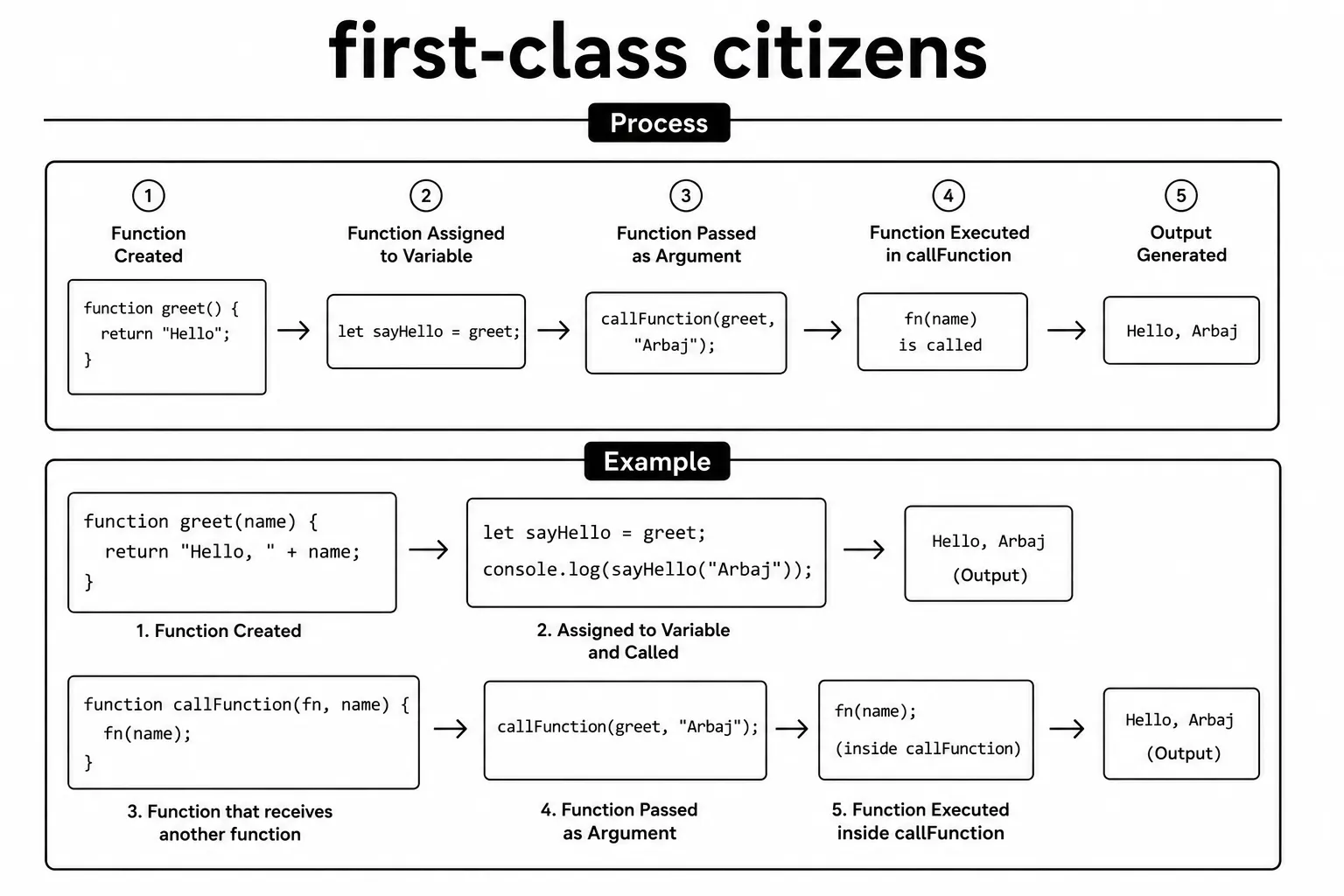
const greet = function() { return "Hello!"; };
console.log(greet()); // Hello!A higher-order function is a function that takes another function as an argument or returns a function as its result.
This pattern is commonly used to make code more reusable, flexible, and easier to manage.
You will often see higher-order functions with methods like map, filter, and reduce.
Pass a function without parentheses when you want to give the function to
another function, such as setTimeout(greet, 1000). Adding
parentheses, as in setTimeout(greet(), 1000), calls it
immediately and passes its returned value instead.
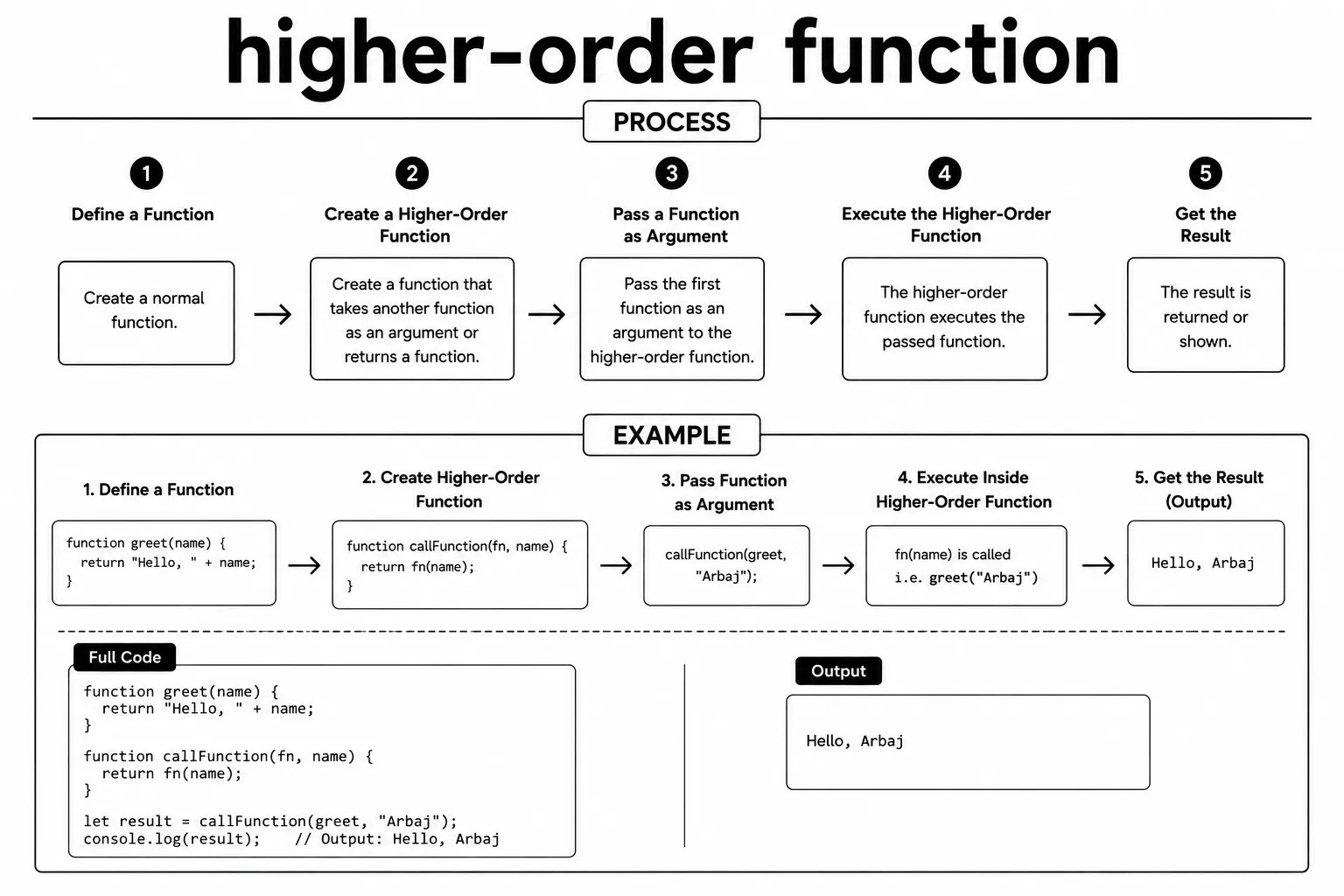
function applyTwice(fn, value) {
  return fn(fn(value));
}
const double = x => x * 2;
console.log(applyTwice(double, 3)); // 12A callback function is a function passed to another function as an argument, allowing it to be executed later when needed. Callbacks are commonly used in timers, event listeners, and asynchronous JavaScript code. They are especially useful when you want a function to run only after a particular task or event has been completed. This makes JavaScript code more flexible and helps handle operations that may take some time to finish.
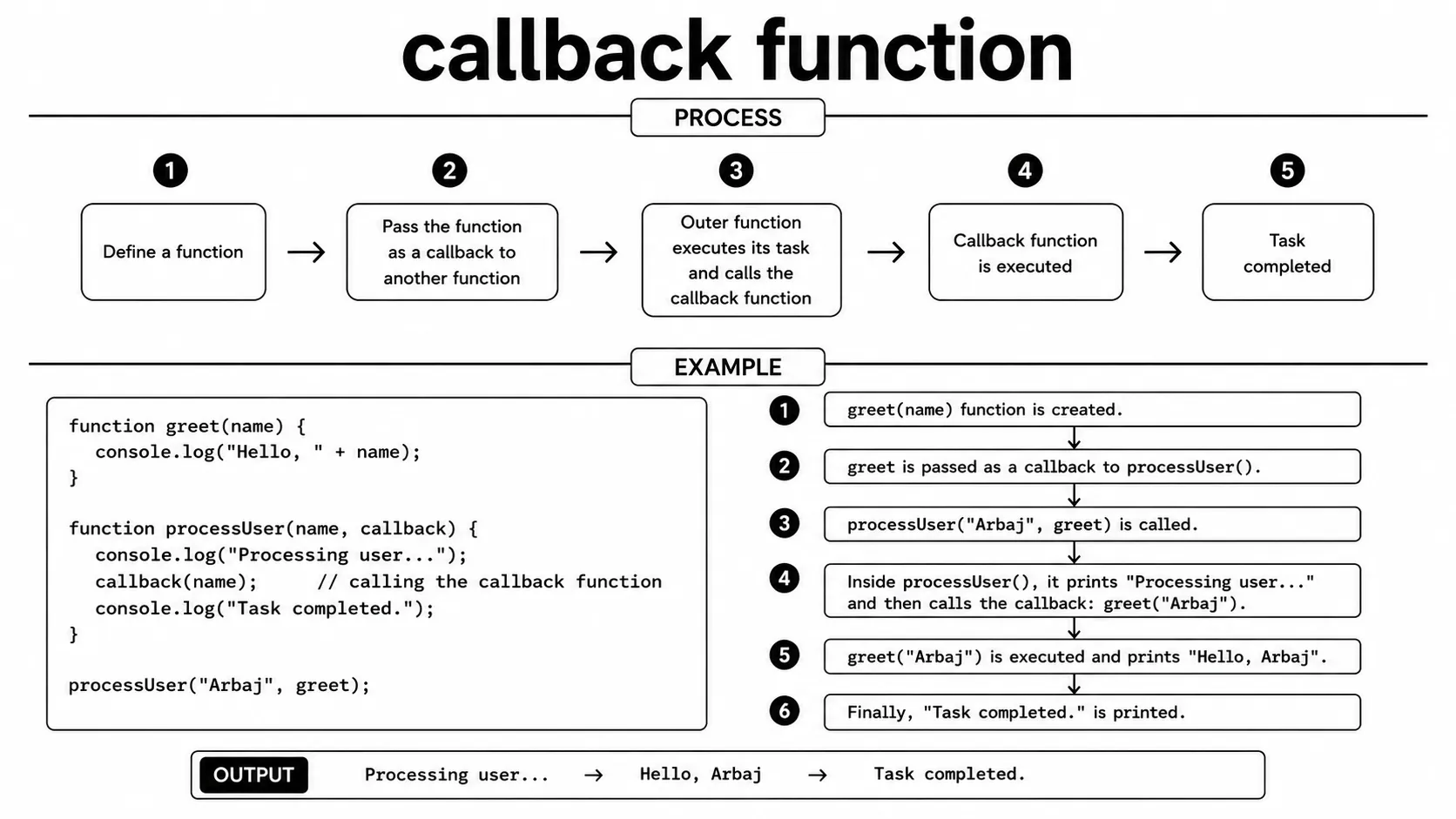
function processOrder(orderId, callback) {
  const message = "Order " + orderId + " confirmed!";
  callback(message);
}
processOrder("ORD-1234", msg => console.log(msg)); // Order ORD-1234 confirmed!
setTimeout schedules a function to run once after a specified delay in milliseconds.
It returns a timer ID that can be used with clearTimeout to cancel the scheduled function.
This is commonly used when you want to delay an action or execute code after a specific amount of time.
The timer runs asynchronously, so JavaScript can continue executing other code while waiting for the delay to finish.
After the specified time has passed, the callback function is placed in the event queue and runs when the call stack is available.
The delay is a minimum wait, not a guarantee that the callback runs at that
exact time. If JavaScript is busy running other code, the callback waits
until the call stack is free. Calling clearTimeout() before the
callback starts cancels that scheduled execution.
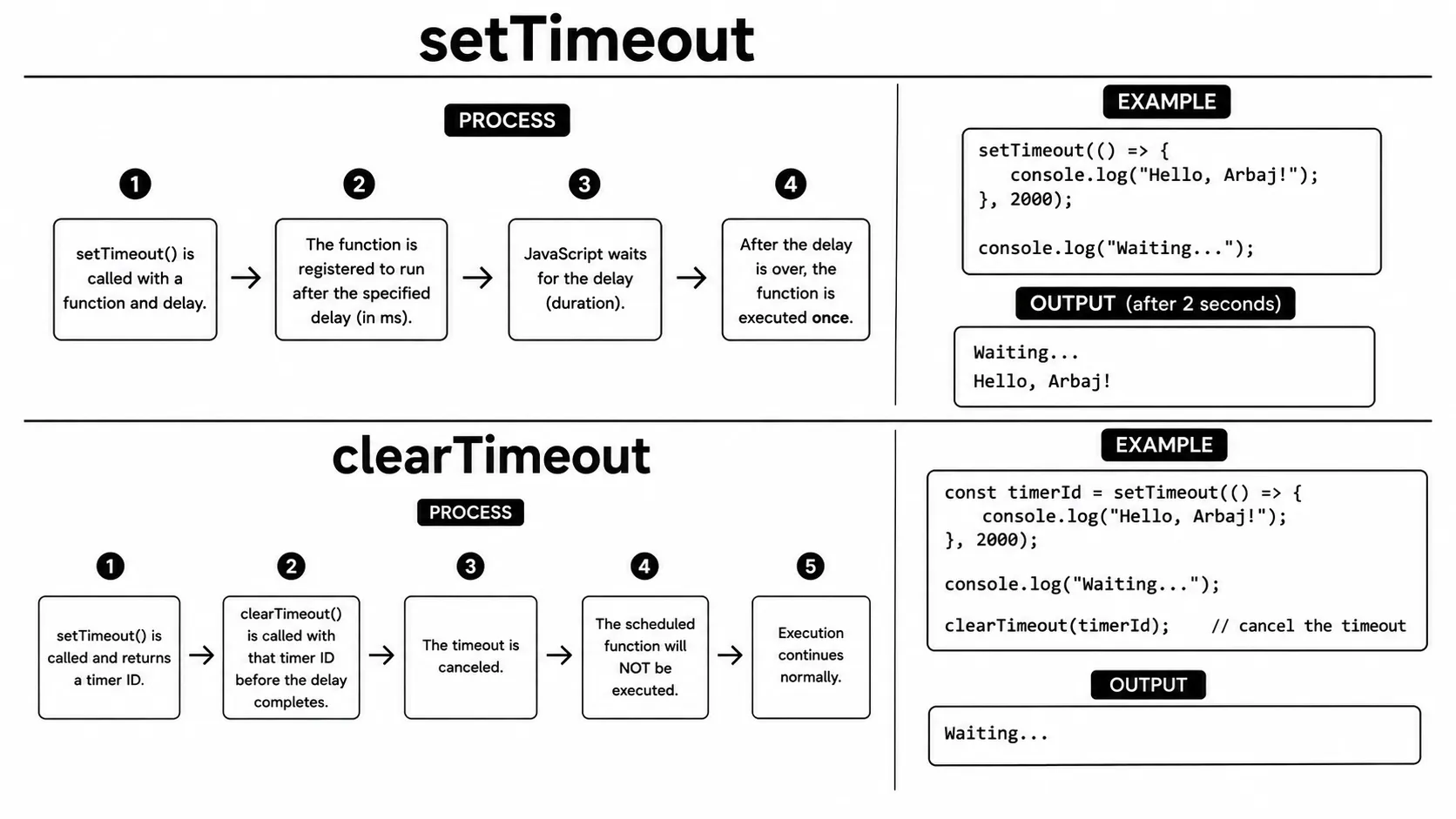
const timer = setTimeout(() => {
  console.log("Runs after 2 seconds");
}, 2000);

// Cancel before it runs
clearTimeout(timer);
setInterval repeatedly executes a function after a specified time interval.
Unlike setTimeout, it continues running the function again and again until it is stopped.
It returns a timer ID that identifies the active interval.
You can pass this ID to clearInterval to stop the repeated execution.
It is commonly used for clocks, countdowns, live updates, counters, polling, and other recurring tasks.
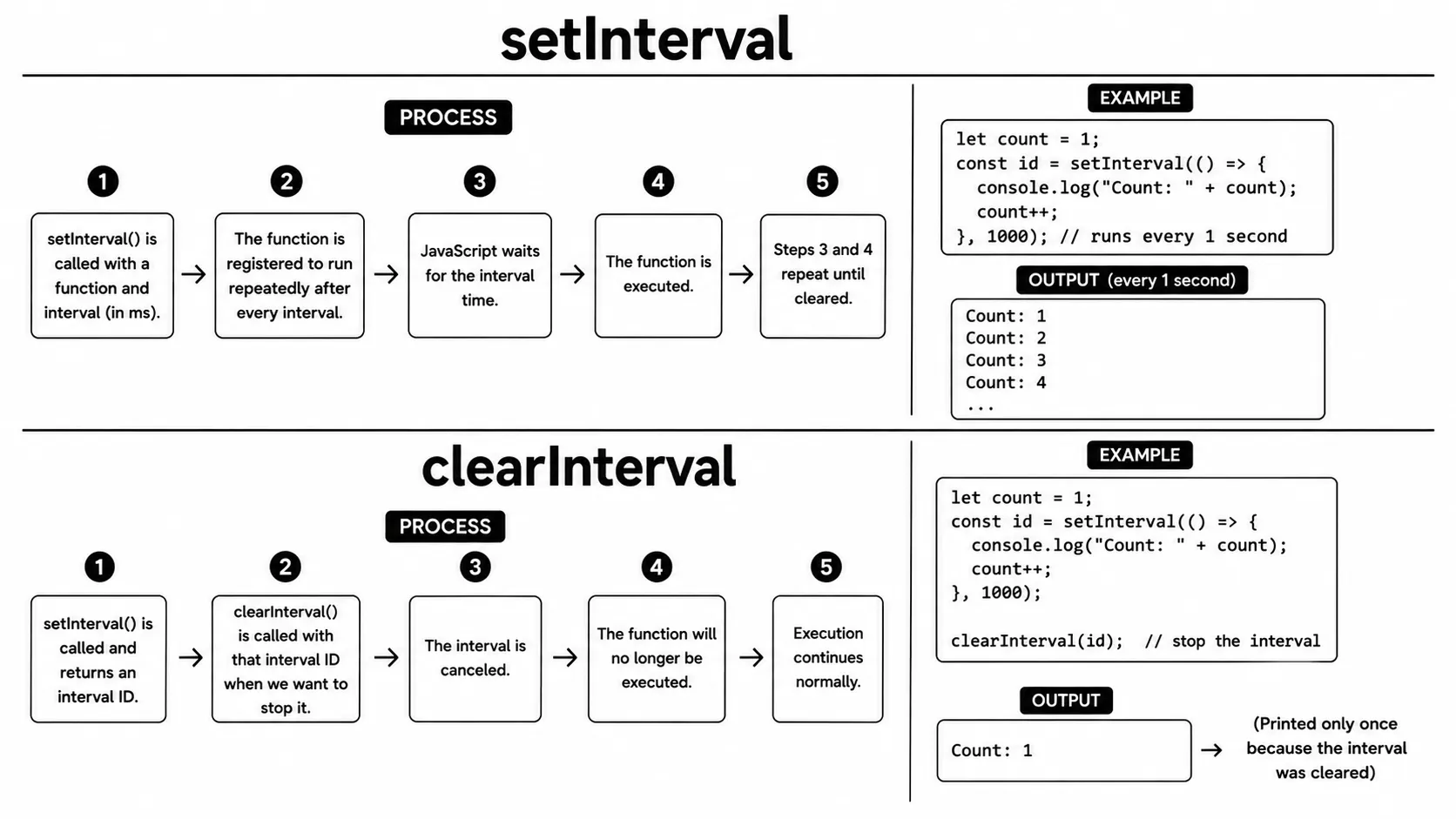
let count = 0;
const interval = setInterval(() => {
  count++;
  console.log("Count:", count);
  if (count === 3) clearInterval(interval);
}, 1000);
call() and apply() are methods used to invoke a function with a specific this value.
They are useful when you want to control which object a function should work with.
With call(), function arguments are passed individually, one after another.
With apply(), the arguments are passed together inside an array.
Both methods are commonly used when working with reusable functions and different object contexts.
Both methods call the function immediately and return whatever that function
returns. Use call() when the arguments are already separate, and
use apply() when they are stored in an array. For modern code,
the spread syntax can often replace apply() when you only need to
pass an array of arguments.
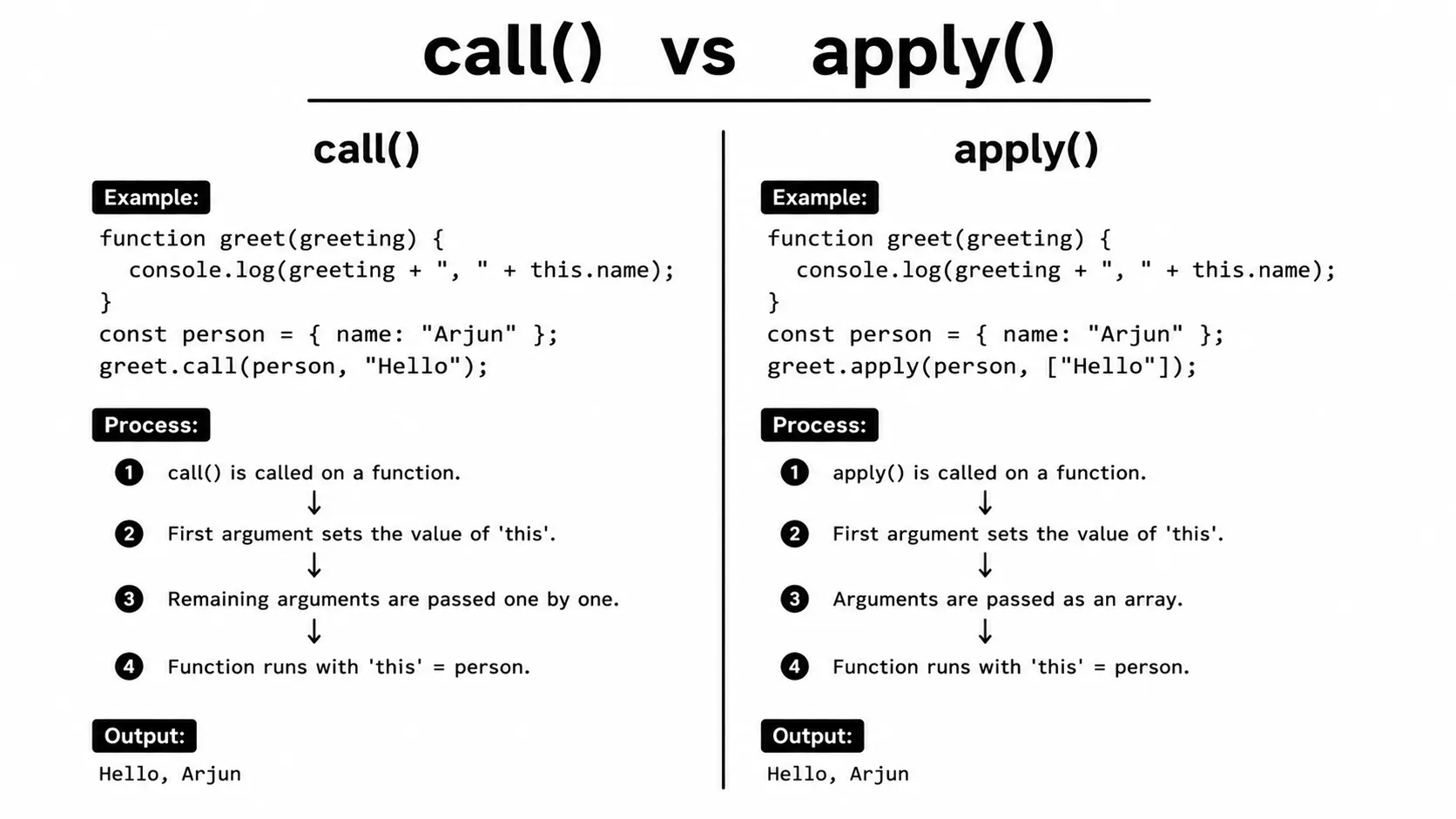
function showDetails(region, timezone) {
  console.log(this.label + " - " + region + ", " + timezone);
}
const server = { label: "API-East" };
showDetails.call(server, "US-East", "UTC-5");
showDetails.apply(server, ["US-East", "UTC-5"]);
bind() creates a new function with a fixed this value.
Unlike call() and apply(), it does not execute the function immediately.
Instead, it returns a new function that can be stored in a variable and called later.
You can also provide arguments to bind() that will be remembered by the new function.
This is useful when you need to preserve the correct this context for later use.
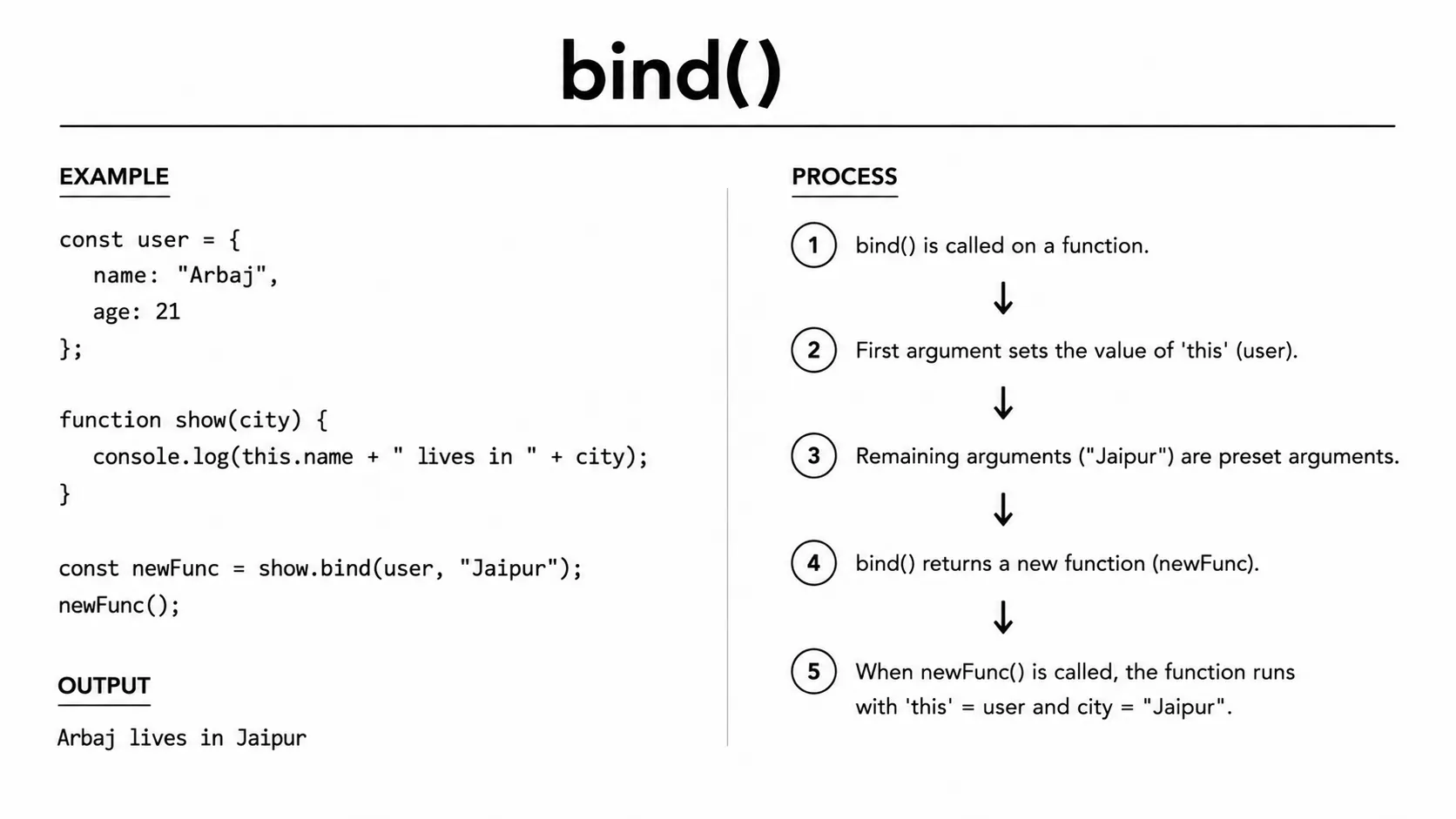
function logStatus() {
  console.log("Status: " + this.status);
}
const service = { status: "running" };
const boundLog = logStatus.bind(service);
boundLog(); // Status: runningAn IIFE (Immediately Invoked Function Expression) is a function that runs immediately after it is defined. It creates its own private scope, which helps prevent variables and functions from leaking into the global scope. This makes IIFEs useful for keeping code isolated and avoiding naming conflicts. They are commonly used for initialization code that only needs to run once. An IIFE can also access variables inside its own scope without exposing them to the rest of the application.
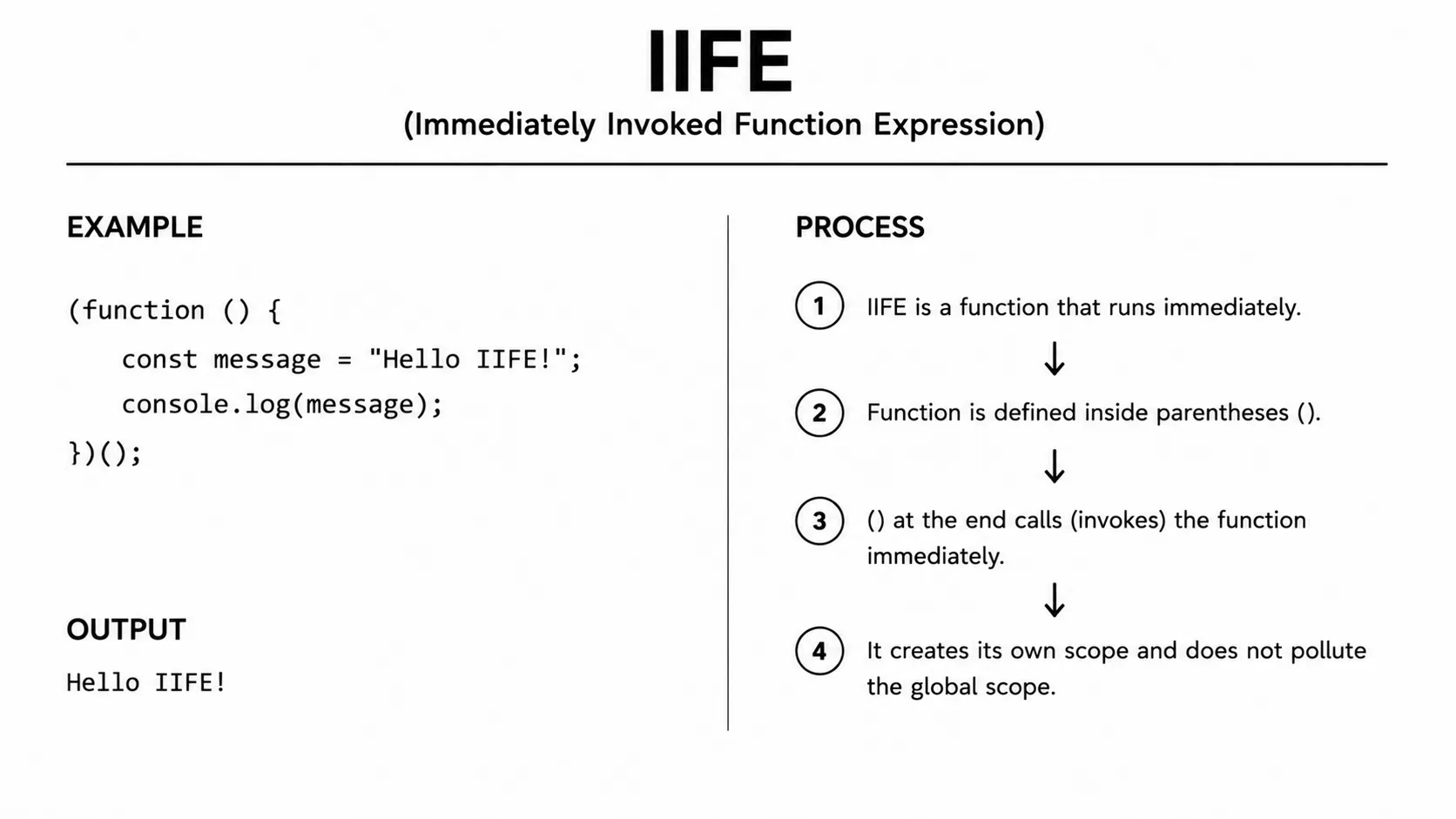
(function() {
  const secret = "hidden";
  console.log("IIFE runs immediately!");
})();
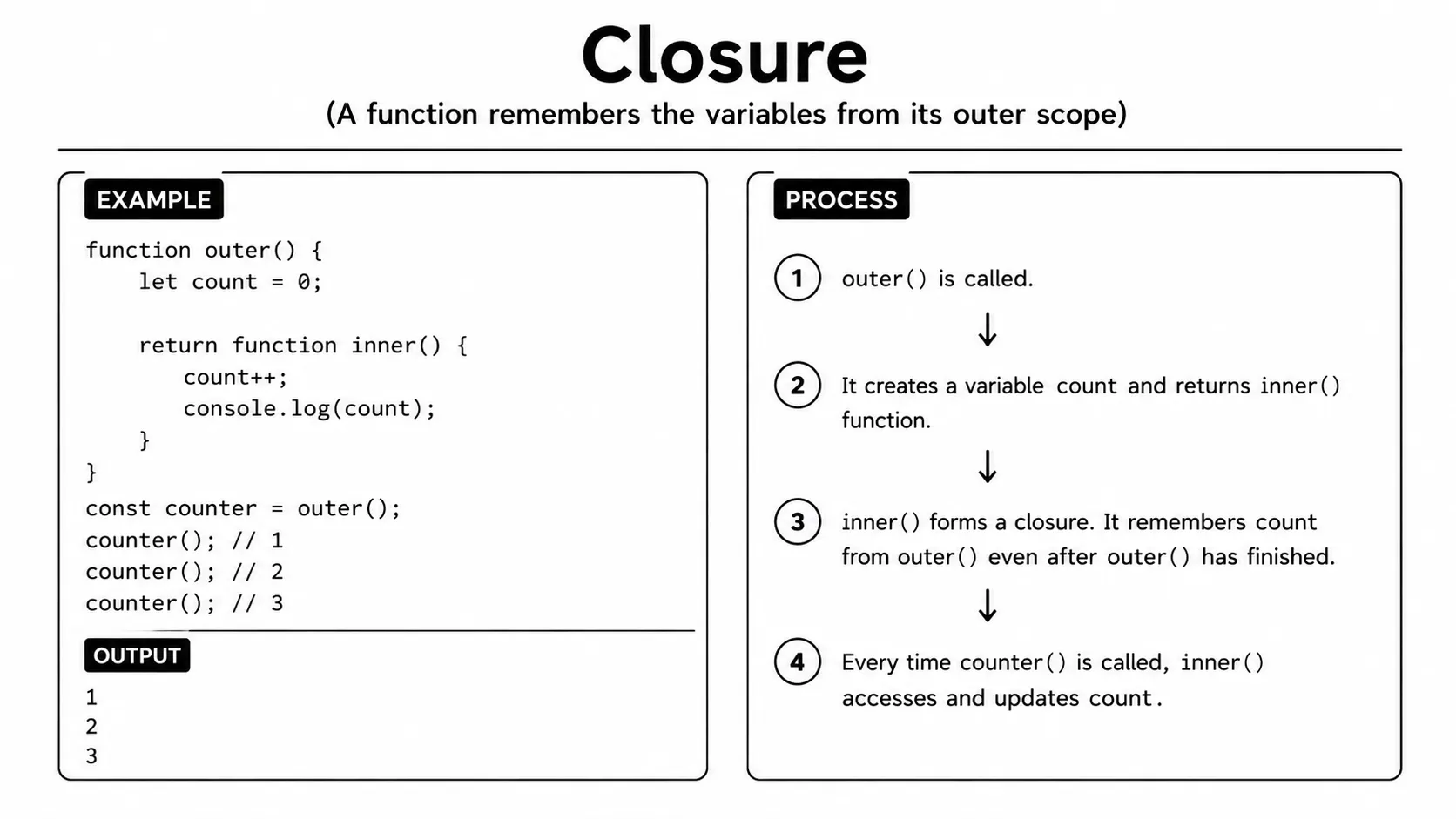
// console.log(secret); // ReferenceErrorA closure is created when a function remembers variables from the scope where it was originally defined. Even after the outer function has finished executing, the inner function can still access those variables. This allows functions to preserve and use data between different executions. Closures are commonly used to create private variables and maintain state in JavaScript. They are also an important concept when working with callbacks, event handlers, and asynchronous code.
A closure keeps access to the variable itself, not just a one-time copy of its
value. That is why the count variable changes each time
increment() runs, while code outside counter()
cannot access count directly.
function counter() {
  let count = 0;
  return function() {
    count++;
    return count;
  };
}
const increment = counter();
console.log(increment()); // 1
console.log(increment()); // 2
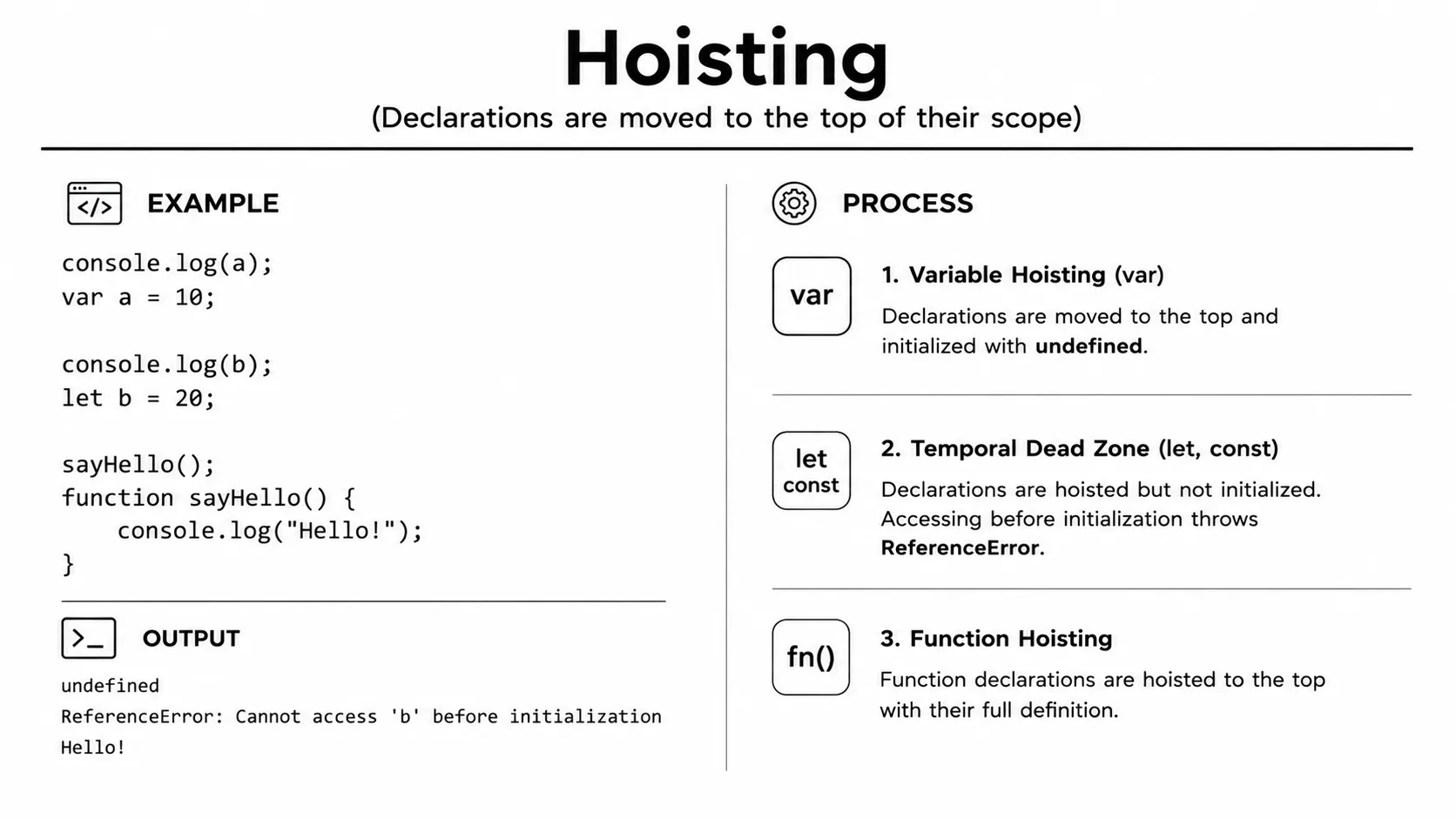
Hoisting is JavaScript's behavior of processing declarations before the code is executed.
Function declarations are fully hoisted, which means you can call a function before its declaration appears in the code.
Variables declared with var are also hoisted, but their value is initially undefined.
Variables declared with let and const are hoisted but remain uninitialized until their declaration is reached.
Understanding hoisting helps you avoid unexpected behavior when working with functions and variables.
Function expressions and arrow functions do not behave like hoisted function
declarations. If they are assigned to let or const,
trying to call them before the assignment reaches execution causes a
ReferenceError. Treat hoisting as a language rule to understand,
not as a reason to use variables before their declarations.
console.log(sayHi()); // "Hi!" - works because declaration is hoisted
function sayHi() { return "Hi!"; }

console.log(x); // undefined - var is hoisted but not its value
var x = 5;
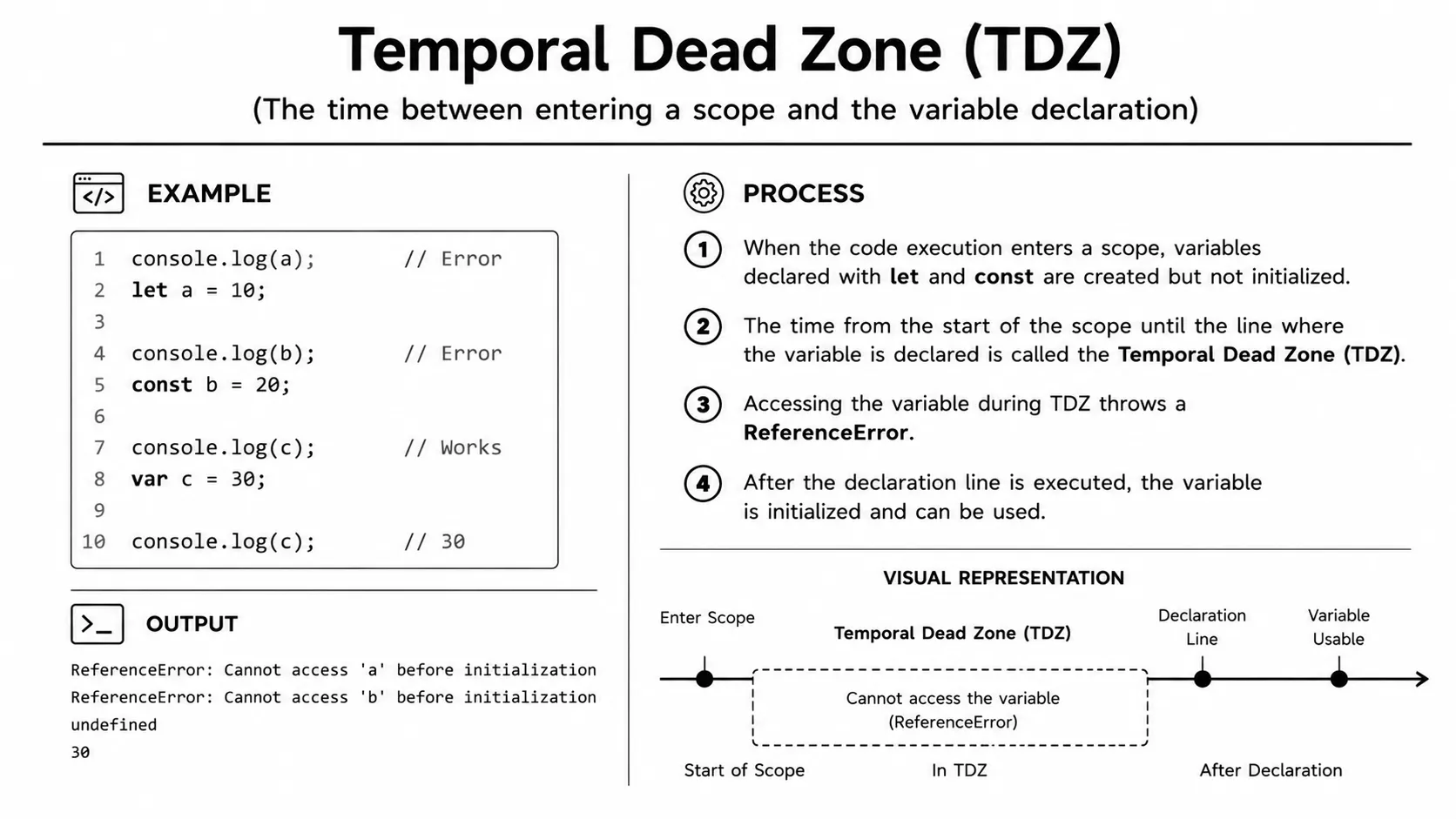
The Temporal Dead Zone (TDZ) is the period between entering a scope and reaching the declaration of a let or const variable.
During this period, the variable exists but cannot be accessed before its declaration.
Trying to use it inside the TDZ results in a ReferenceError.
This behavior helps prevent variables from being used before they are properly initialized.
Unlike let and const, accessing a var variable before its declaration returns undefined.
console.log(endpoint); // ReferenceError: Cannot access 'endpoint' before initialization
let endpoint = "/api/users";
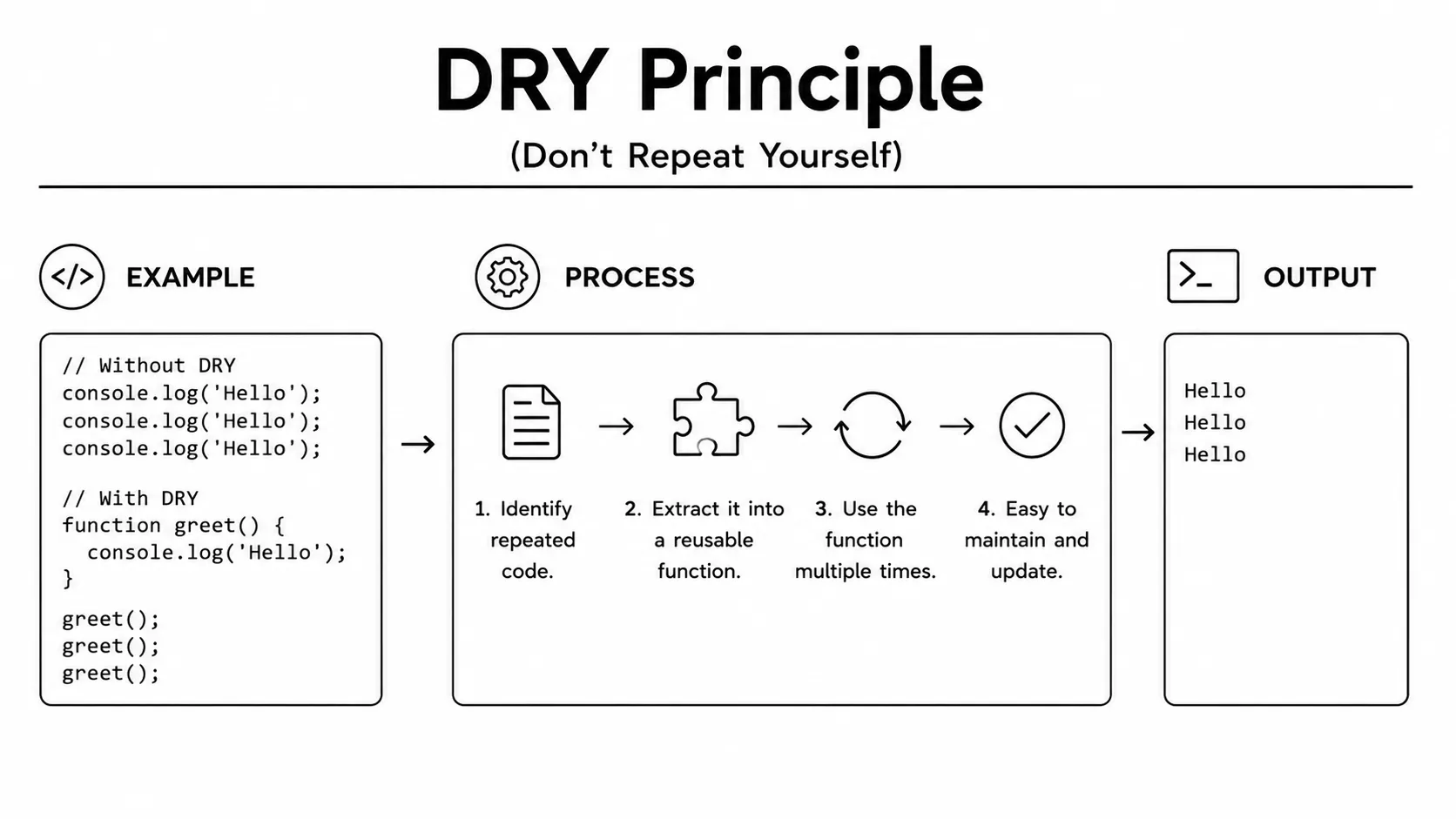
DRY stands for "Don't Repeat Yourself" and is a common principle in programming. It means you should avoid writing the same logic multiple times in different parts of your code. Instead, repeated logic can be placed inside a reusable function or component. This keeps your code cleaner, easier to understand, and simpler to maintain. When you need to make a change, you only have to update the logic in one place, reducing the chance of bugs.
// Without DRY
console.log("Tax for 100:", 100 * 0.18);
console.log("Tax for 200:", 200 * 0.18);

// With DRY
function calculateTax(amount) { return amount * 0.18; }
console.log("Tax for 100:", calculateTax(100));
console.log("Tax for 200:", calculateTax(200));
Currying is a technique that transforms a function with multiple arguments into a sequence of smaller functions. Each function takes one argument and returns another function that waits for the next argument. This allows you to provide arguments step by step instead of passing them all at once. Currying can make functions more reusable and easier to combine with other functions. It is also useful for creating pre-configured functions with some values already provided.
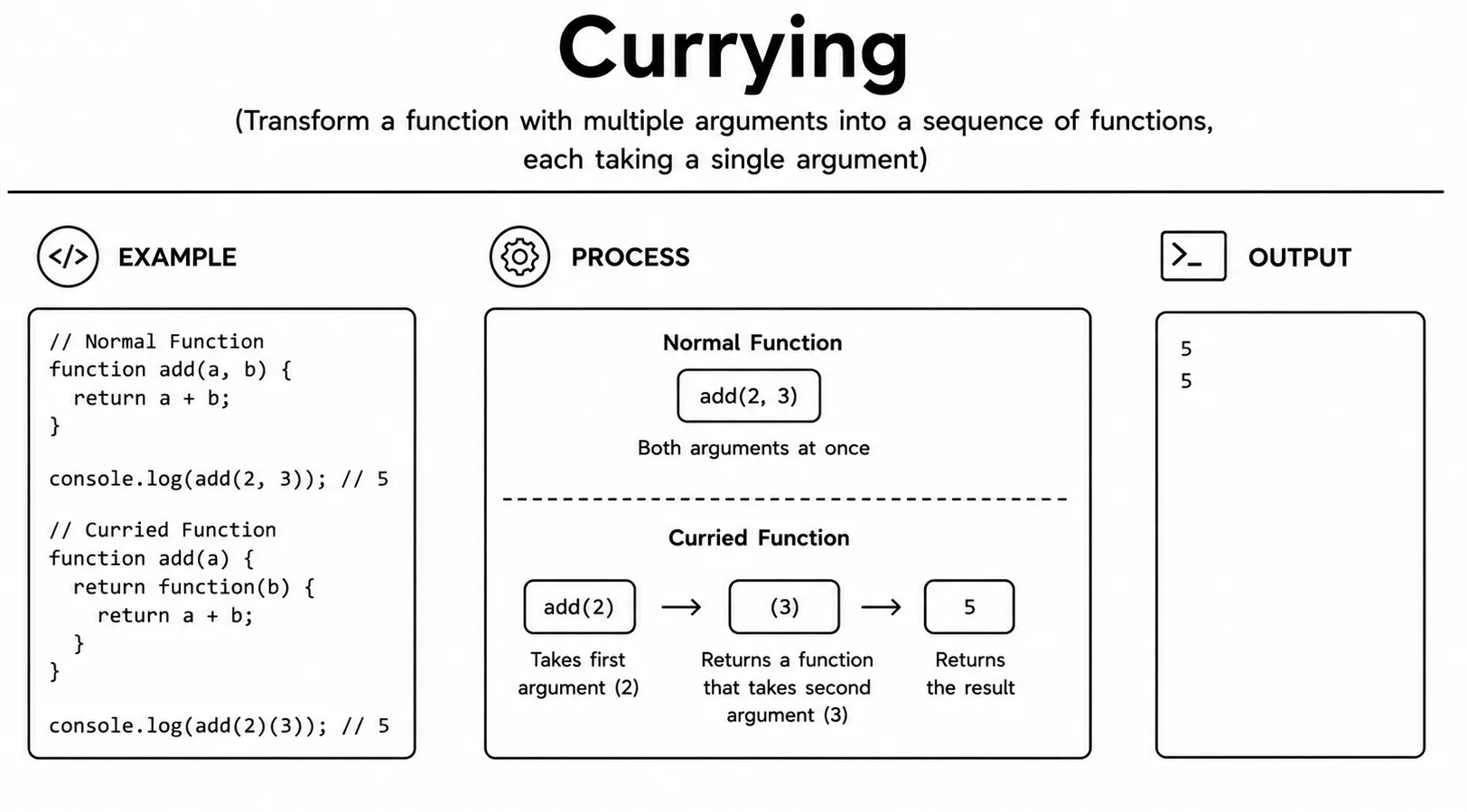
function multiply(a) {
  return function(b) {
    return a * b;
  };
}
const triple = multiply(3);
console.log(triple(4));       // 12
console.log(multiply(2)(5));  // 10
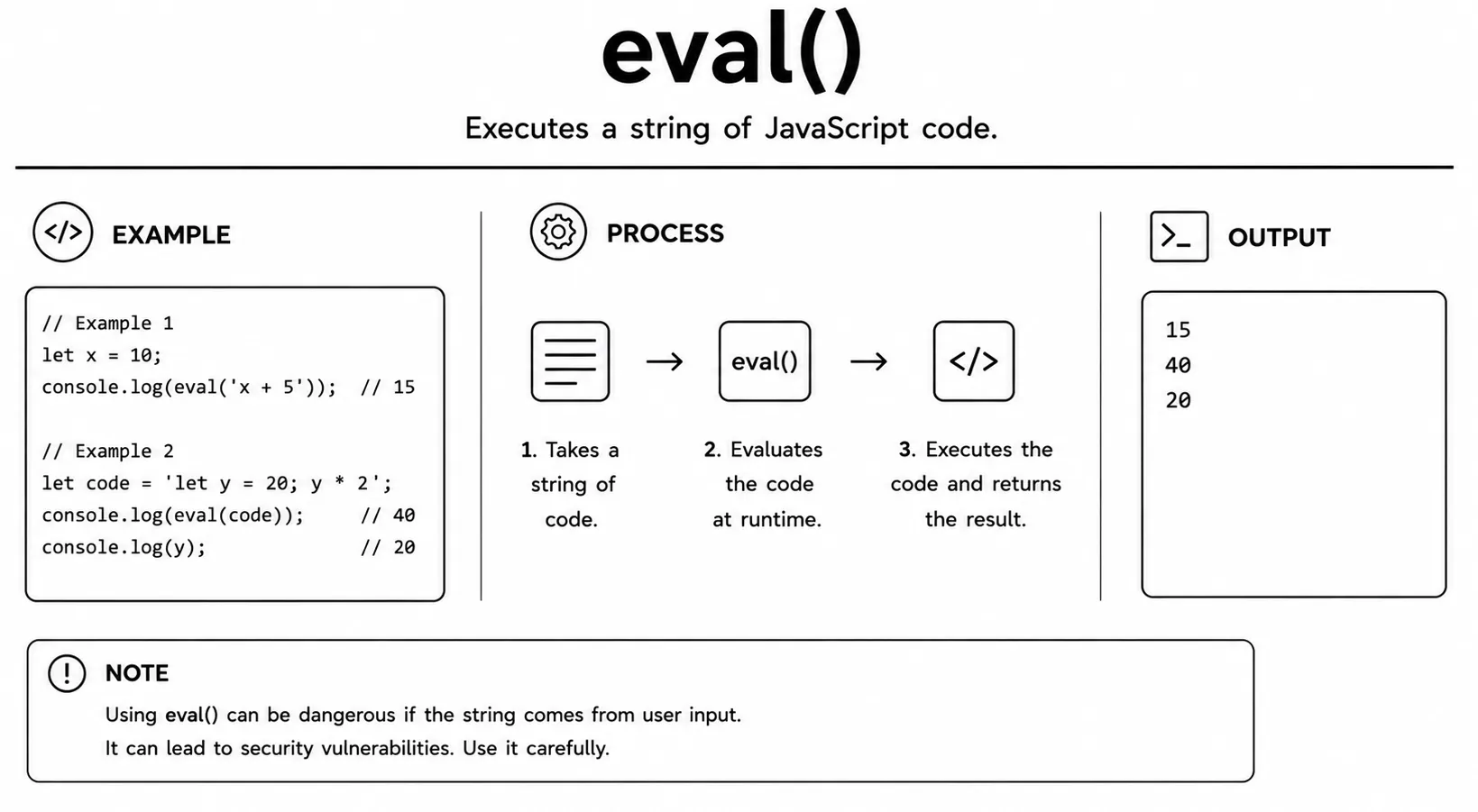
eval() takes a string containing JavaScript code and executes that string as actual JavaScript.
While it can dynamically run code, using it is generally considered a bad practice in modern JavaScript.
It can make your code slower, harder to read, maintain, and debug.
More importantly, executing untrusted input with eval() can create serious security vulnerabilities.
In most situations, safer alternatives such as normal functions, objects, or direct JavaScript expressions should be used instead.
const code = "2 + 2";
console.log(eval(code)); // 4

// Avoid eval - use safer alternatives instead
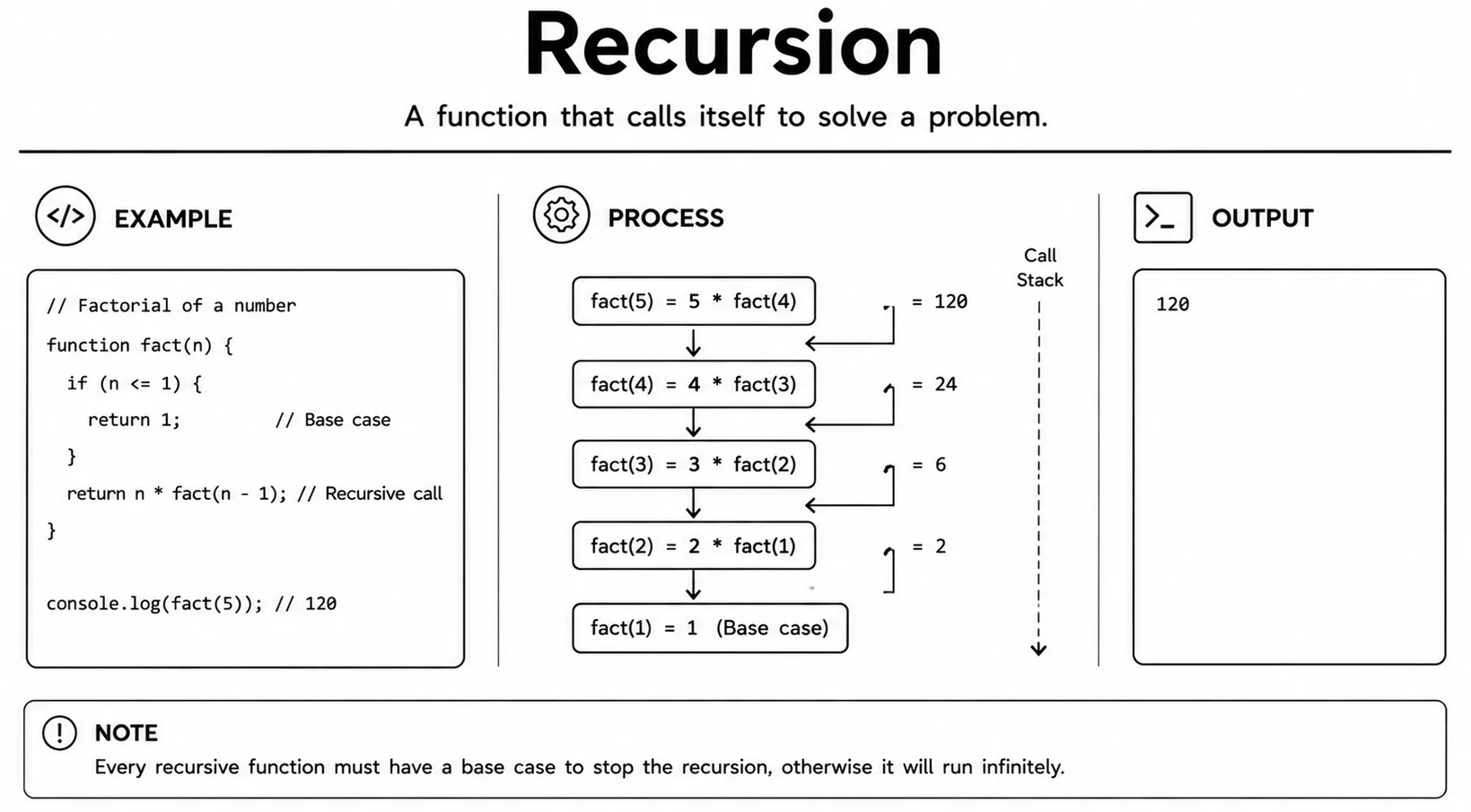
Recursion is a programming technique where a function calls itself to solve a problem step by step. Each recursive call usually works with a smaller or simpler version of the original problem. The most important part of recursion is the base case, which defines when the function should stop calling itself. Without a proper base case, the function can continue calling itself indefinitely and cause an error. Recursion is commonly used for tasks such as traversing trees, processing nested data, and solving mathematical problems.
A recursive function needs both a stopping condition and progress toward that
condition. In factorial(), n - 1 makes each call
smaller until n <= 1 is reached. If the input never gets closer
to the base case, the calls can fill the call stack and produce a
RangeError.
function factorial(n) {
  if (n <= 1) return 1;        // base case
  return n * factorial(n - 1); // recursive call
}
console.log(factorial(5)); // 120- First-class functions can be stored in variables, passed as arguments, and returned from other functions.
- Higher-order functions take a function as an argument or return one.
- Callback functions are passed into another function and called inside it.
- setTimeout runs a function once after a delay; clearTimeout cancels it.
- setInterval runs a function repeatedly; clearInterval stops it.
- call() and apply() invoke a function with a specific
this; apply uses an array for arguments. - bind() returns a new function with a fixed
this, without calling it immediately. - IIFE is a function that runs immediately and creates a private scope.
- Closures let inner functions remember variables from their outer scope after the outer function has returned.
- Hoisting moves declarations to the top of their scope. Function declarations are fully hoisted;
varis hoisted but not its value. - TDZ is the zone where
let/constvariables exist but cannot be accessed yet. - DRY means "Don't Repeat Yourself" - extract repeated logic into reusable functions.
- Currying converts a multi-argument function into a chain of single-argument functions.
- eval() runs a string as code - avoid it due to performance and security concerns.
- Recursion is when a function calls itself, always with a base case to stop the loop.
What's next? Now that you've seen more powerful function concepts, let's learn how to spot and fix problems in the next tutorial.
Videos for this topic will be added soon.